Urdu Typing Courses in USTAAD Typing Academy
USTAAD Typing Academy provides dedicated Urdu typing courses designed specifically for the most widely used Urdu keyboard layouts.
Whether you're starting from zero or improving your typing speed, USTAAD helps you learn Urdu typing in a structured, guided, and practical way.
Urdu Layouts Supported in USTAAD
USTAAD includes specialized typing courses for:
Urdu Phonetic 1.0
- Ideal for beginners
- Based on English sound mapping
- Easy to understand and start with
Urdu Phonetic 1.1
- More refined and optimized layout
- Better key consistency
- Preferred for speed and accuracy
✅ These two layouts are the most standard and widely used Urdu typing systems, which is why USTAAD focuses on them.
What Makes Urdu Typing in USTAAD Effective?
Unlike random typing tools, USTAAD provides a complete Urdu learning workflow:
- Step-by-step Urdu typing lessons
- Layout-specific training (1.0 & 1.1)
- Real-time WPM and accuracy tracking
- Practice exercises and typing tests
- Certificate-based progression system
This ensures you don’t just type — you learn properly and improve consistently.
Getting Started with Urdu Typing Courses
Urdu typing courses are available inside USTAAD but may need to be downloaded first.
Follow the process below to download Urdu Phonetic 1.0 or 1.1 courses.
Downloading Urdu Typing Courses
USTAAD Typing Academy allows you to download Urdu-specific typing courses so you can practice offline anytime.
Why Download Urdu Courses?
Downloading Urdu courses allows you to:
- Practice Urdu typing without internet
- Learn using correct keyboard layouts
- Access complete lesson structure
- Build real typing speed and accuracy
Internet Requirements
Before downloading Urdu courses:
- Stable internet connection required
- Recommended speed: 1 Mbps
- One-time download only
Urdu typing courses are lightweight and usually around 100–200 KB, so they download quickly.
Step-by-Step: Download Urdu Typing Courses
Step 1: Open USTAAD
- Launch USTAAD Typing Academy
- Select your account
- Click Continue
You will reach the Language Selection page.
Step 2: Open Download Section
Click Add More Languages from the top-right area.
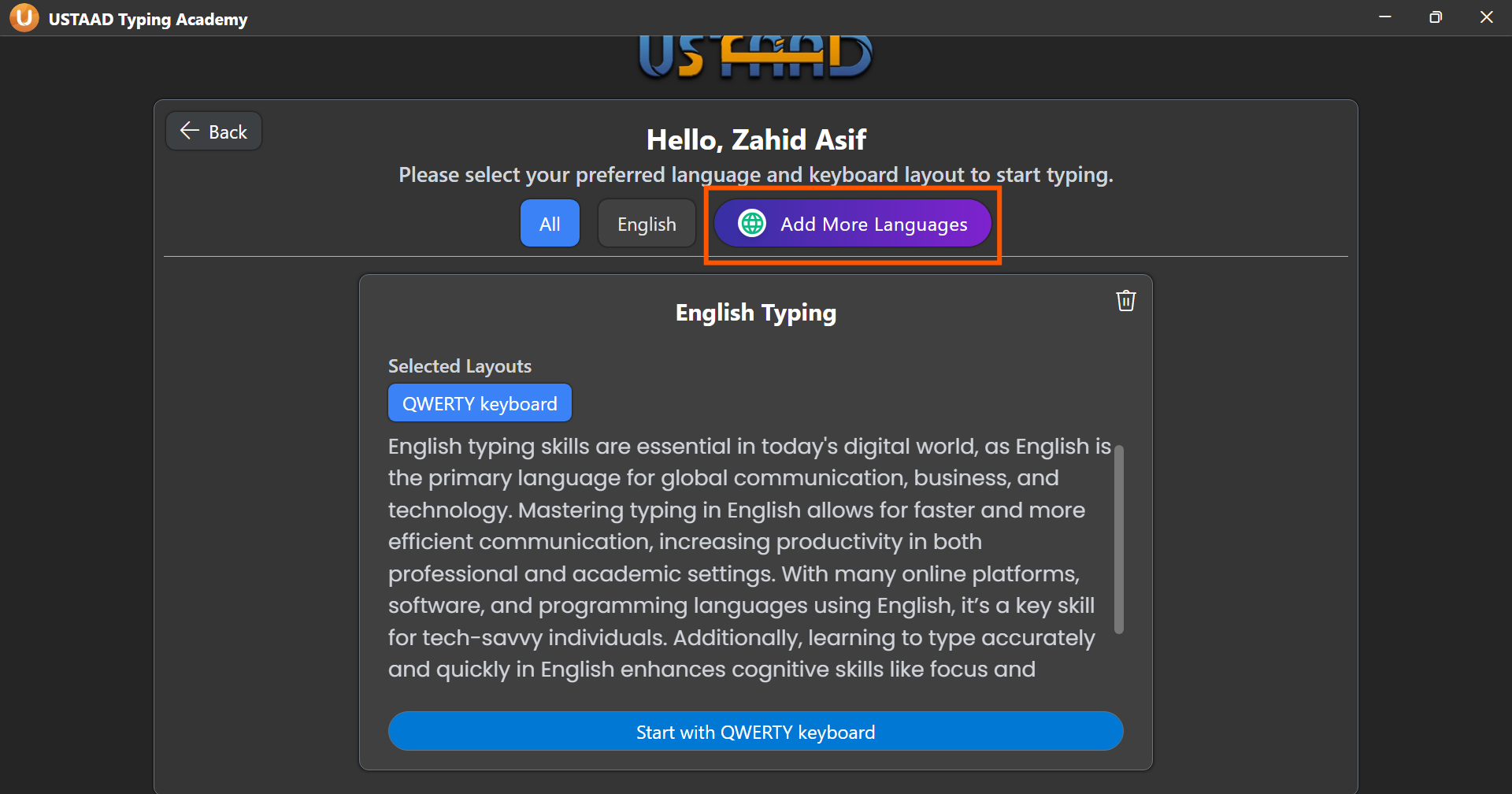
Step 3: Select Urdu Layout
- Find Urdu
- Open the layout dropdown
- Choose:
- Urdu Phonetic 1.0
- OR Urdu Phonetic 1.1
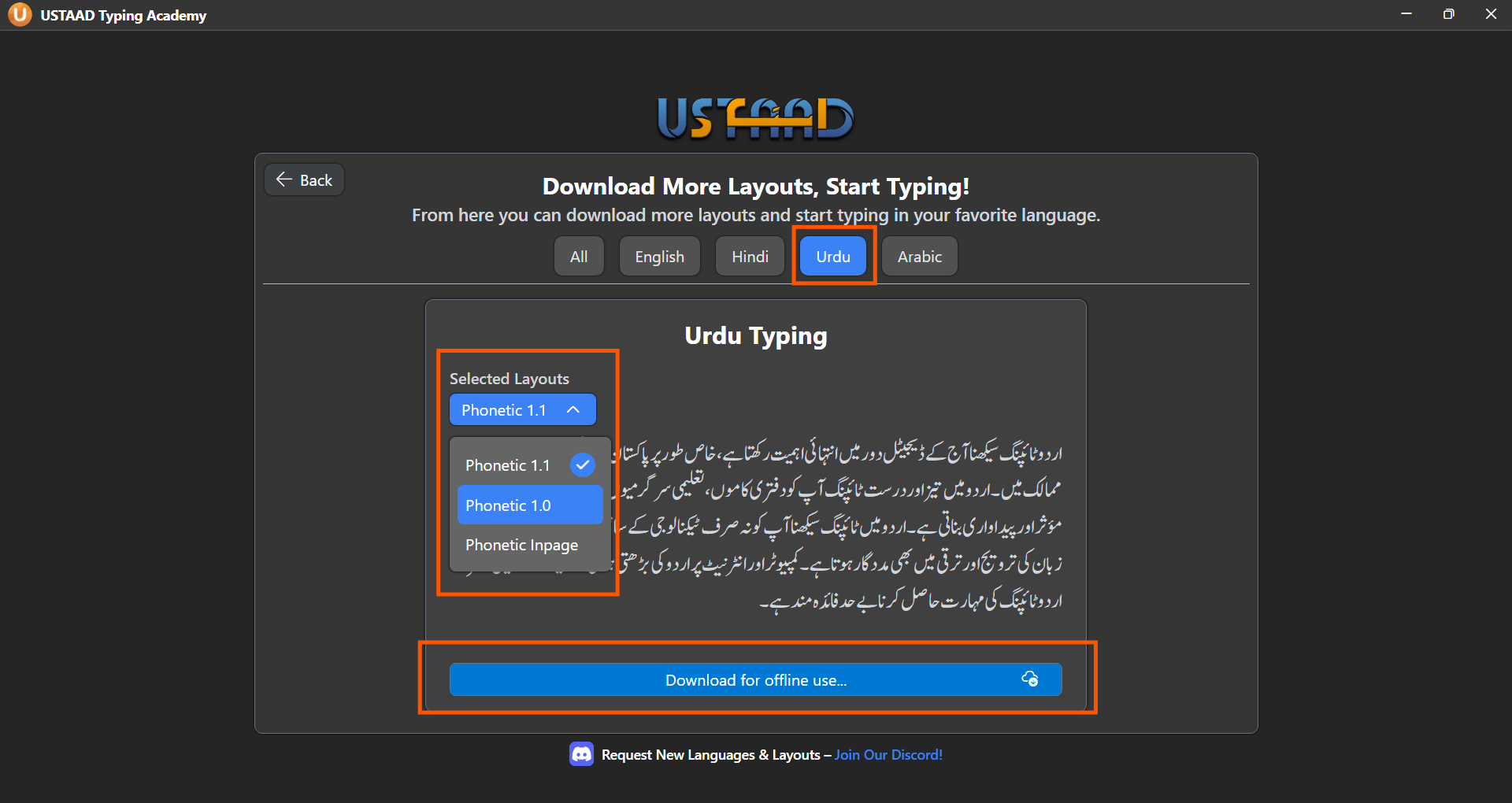
Step 4: Download Course
Click Download for offline use, then confirm your selected layout.
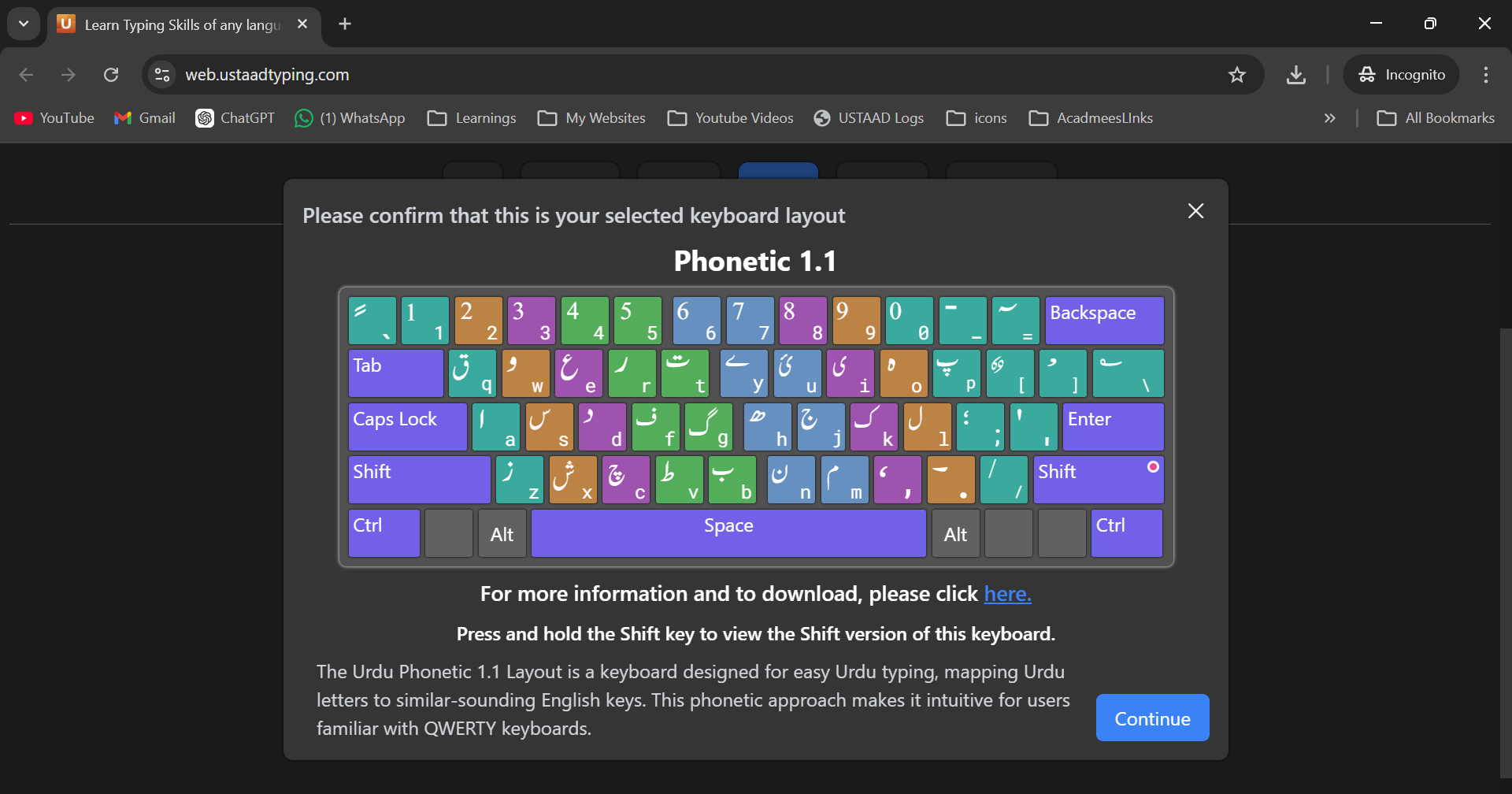
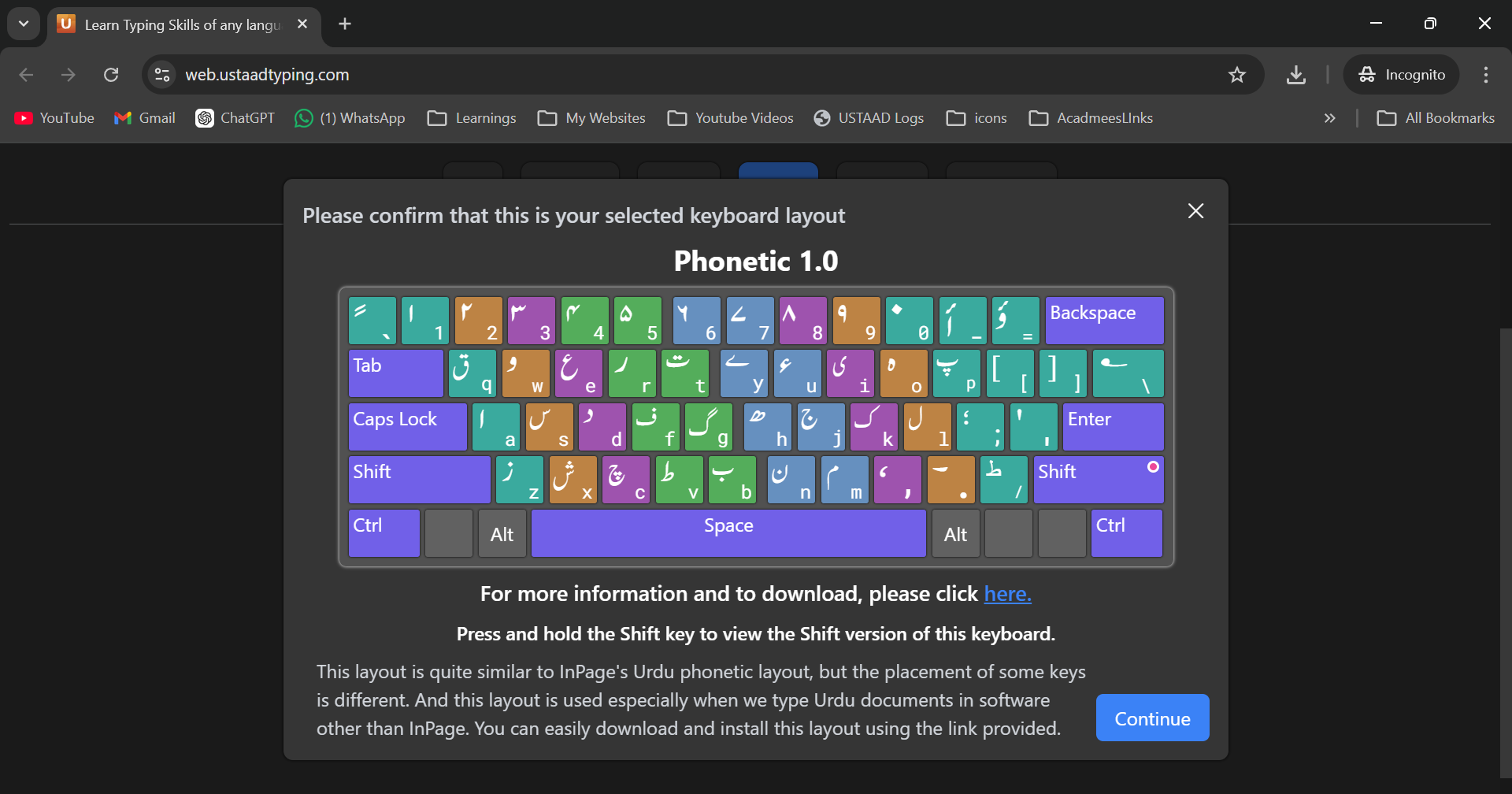
Once downloaded, your Urdu typing course is ready.
Learn Urdu Typing Offline
After downloading:
- No internet required
- Full Urdu lessons available
- Practice and tests included
- Progress saved locally
Best Way to Learn Urdu Typing
To get maximum results:
- Choose one layout only (1.0 or 1.1)
- Do not switch layouts frequently
- Practice daily
- Focus on accuracy before speed
- Complete all lessons step-by-step
Final Thoughts
USTAAD Typing Academy is designed to make Urdu typing simple, structured, and effective.
With dedicated support for Urdu Phonetic 1.0 and 1.1, you can:
- Learn faster
- Type accurately
- Build real typing speed
Start by downloading your Urdu typing course and begin practicing today.