Language and Layout Selection Guide
After creating your user account in USTAAD Typing Academy, the next step is selecting your typing course. This guide will help you navigate the language and layout selection process, understand your options, and choose the best starting point for your typing journey.
Accessing the Language Selection
Once you log in to your account, you'll be taken to the Language Selection page. This is where you choose:
- The language you want to learn typing in
- The keyboard layout that matches your needs
- Your preferred learning path
The interface displays all available courses in an easy-to-browse grid or list format.
Default Course on First Install
If you're using USTAAD Typing Academy for the first time, the software automatically displays the English QWERTY layout as the default course. This ensures new users have an immediate starting point without being overwhelmed by choices.
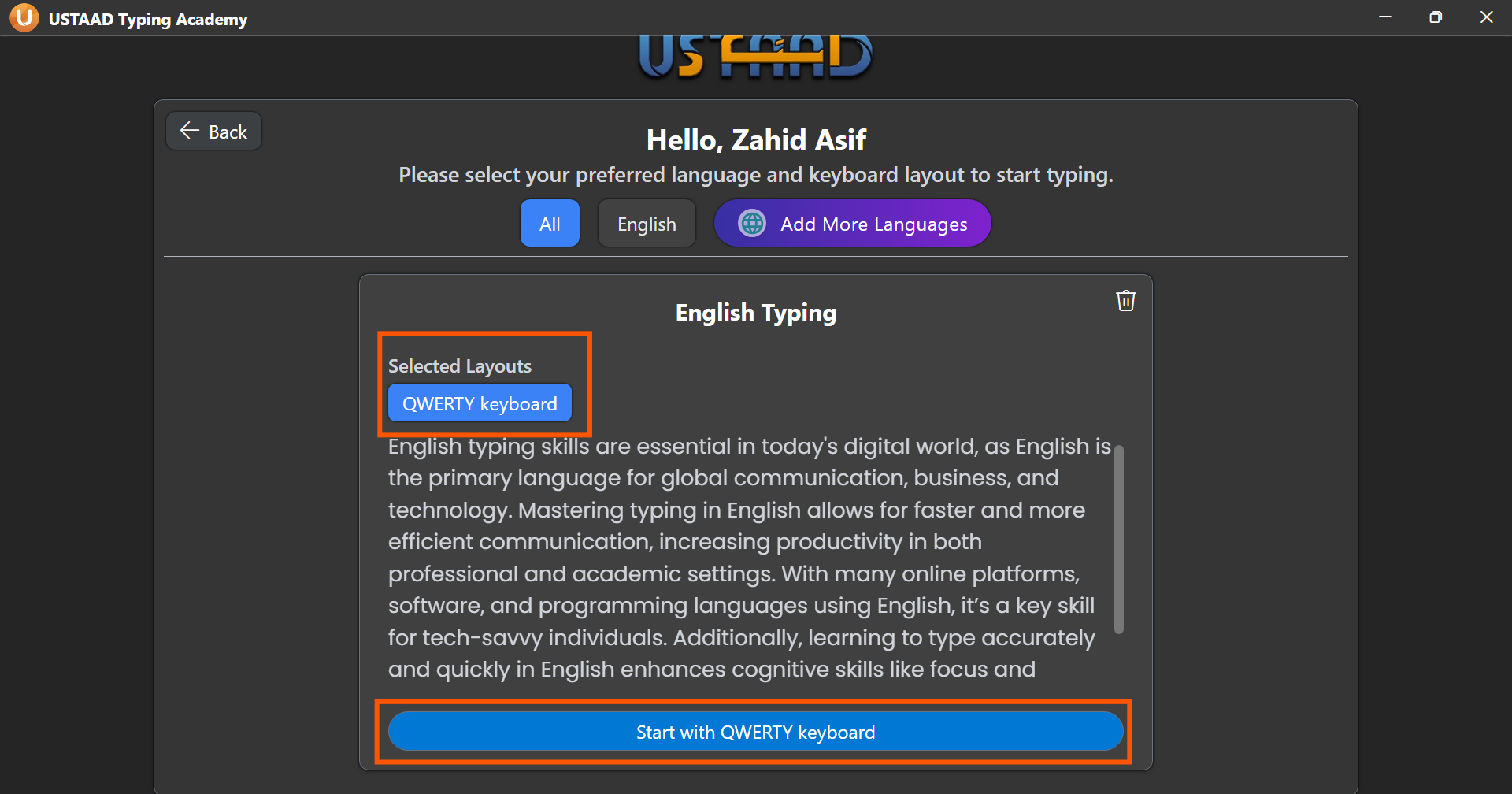
To begin learning:
- The English QWERTY card will be highlighted or centered
- Click the "Start Typing" button
- The main USTAAD typing window will open with your first lesson
You can change to other languages and layouts anytime through the course selection menu.
What Keyboards Does USTAAD Teach?
Available Languages
USTAAD Typing Academy supports multiple languages, each designed for different regions and learning goals:
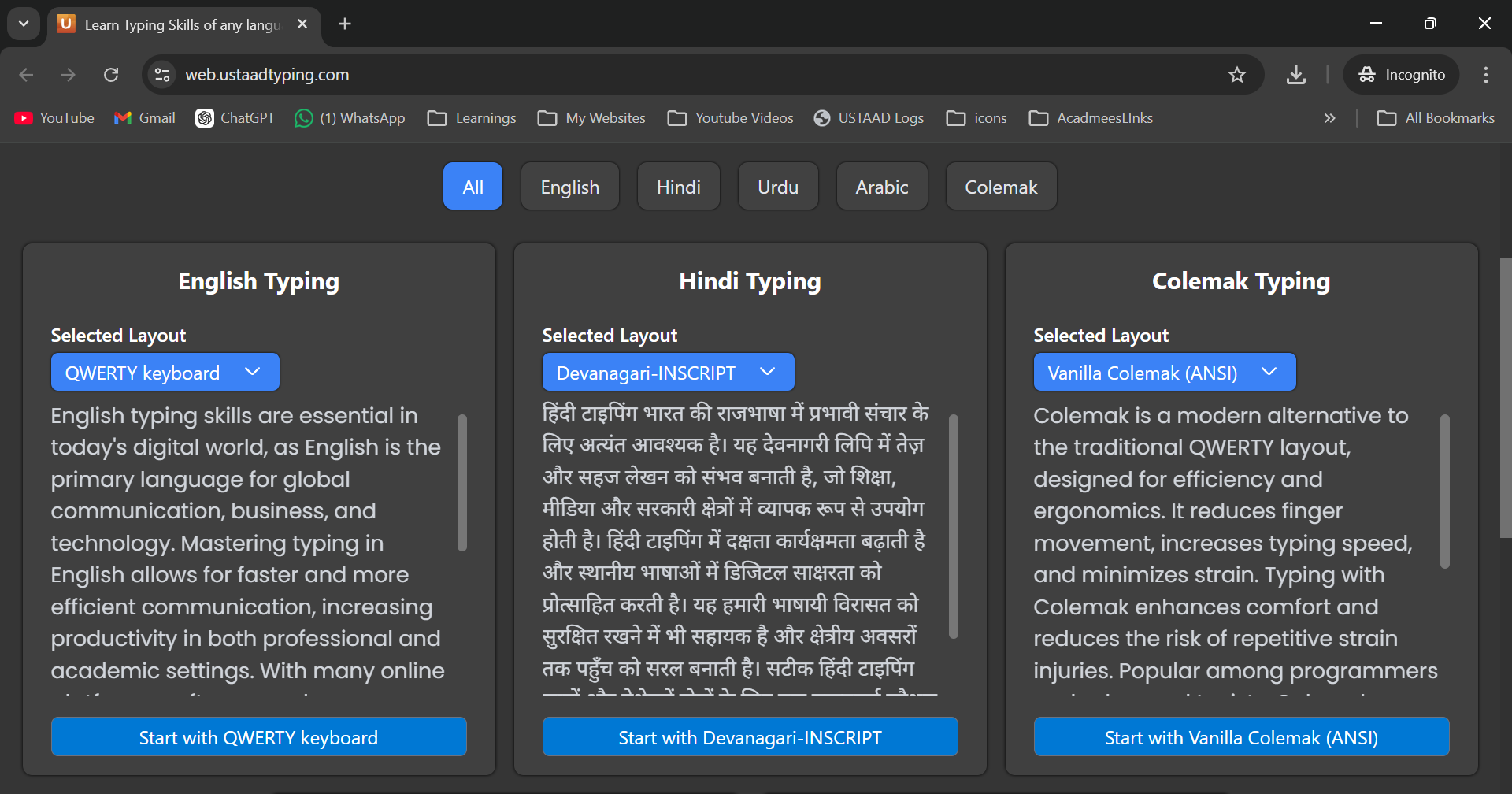
English
- Target Audience: Global users, English speakers, professionals
- Use Cases: Business communication, academic writing, general computer use
- Layouts Available: QWERTY, AZERTY, Colemak
Urdu
- Target Audience: Urdu speakers in Pakistan, India, and worldwide
- Use Cases: Official documents, personal communication, content creation
- Layouts Available: Phonetic 1.1, Phonetic 1.2, Phonetic 1.0.
Hindi
- Target Audience: Hindi speakers in India and Nepal
- Use Cases: Official communication, Devanagari script learning
- Layouts Available: Devanagari Inscript, Hindi Traditional Inscript
Arabic
- Target Audience: Arabic speakers across the Middle East and North Africa
- Use Cases: Formal writing, religious texts, modern communication
- Layouts Available: Arabic 101 and Arabic 102
Understanding Keyboard Layouts
A keyboard layout determines how letters, numbers, and symbols are arranged on your keyboard keys. Different layouts place the same characters in different positions, affecting typing efficiency and learning curve.
What Are Layouts?
Layouts are like different "maps" of where each character is located on the keyboard. Just as different countries have different road maps, different regions have different keyboard layouts optimized for their languages.
QWERTY Layout
- Description: The most common layout worldwide, named after the first six letters
- Key arrangement: Q W E R T Y on top row, A S D F G H on home row
- Best For: English typing, users familiar with standard keyboards
- Difficulty: Beginner-friendly
- Recommendation: Start here if you're new to typing
Example: To type "HELLO" you press: H E L L O (with Shift for capitals)
AZERTY Layout
- Description: French and Belgian standard layout
- Key differences: A Z E R T Y on top row, Q W on different positions
- Best For: French speakers, European users
- Difficulty: Moderate (different letter positions)
- Recommendation: Choose if you use French keyboards regularly
Example: To type "BONJOUR" you press: B O N J O U R
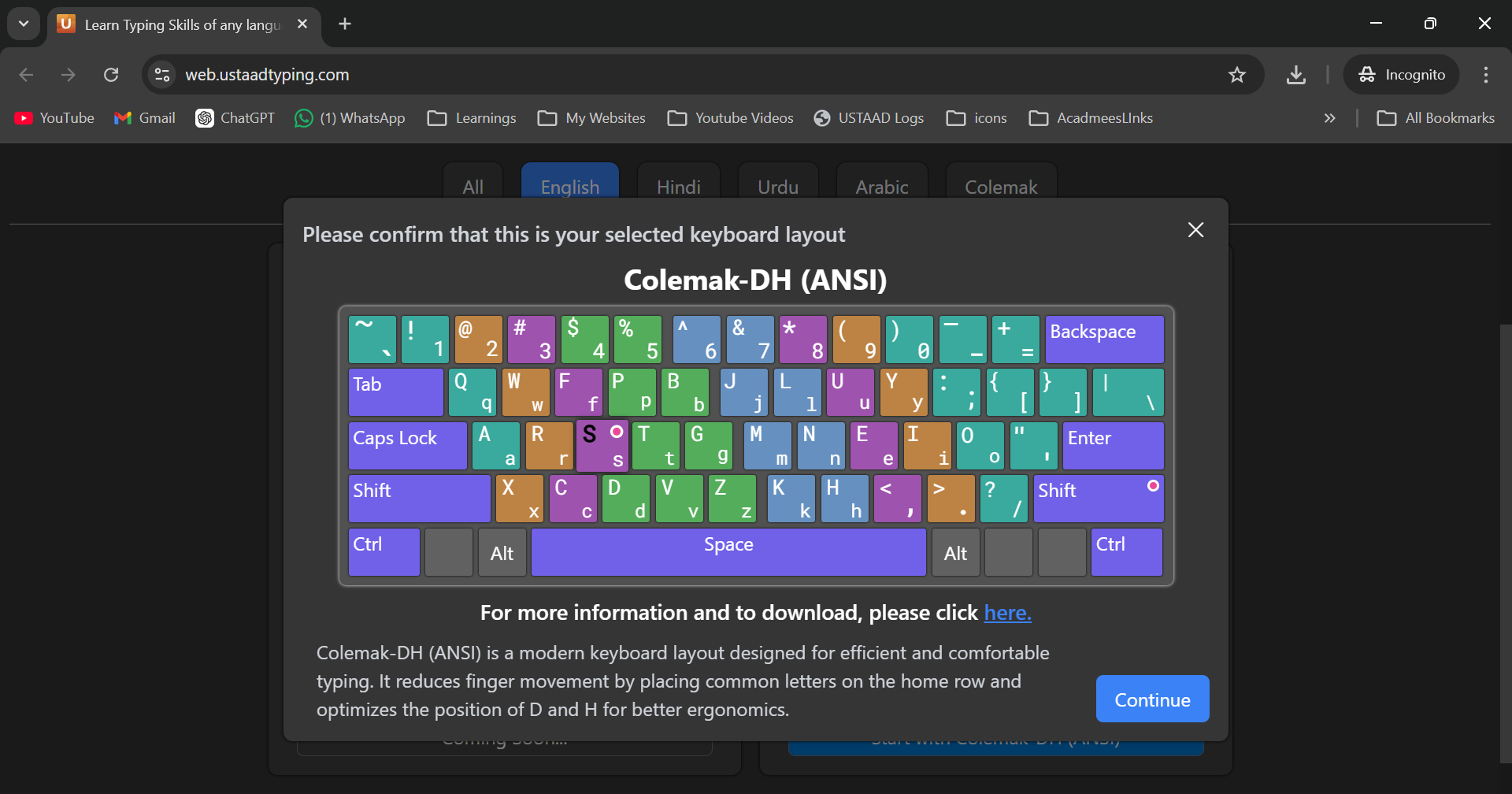
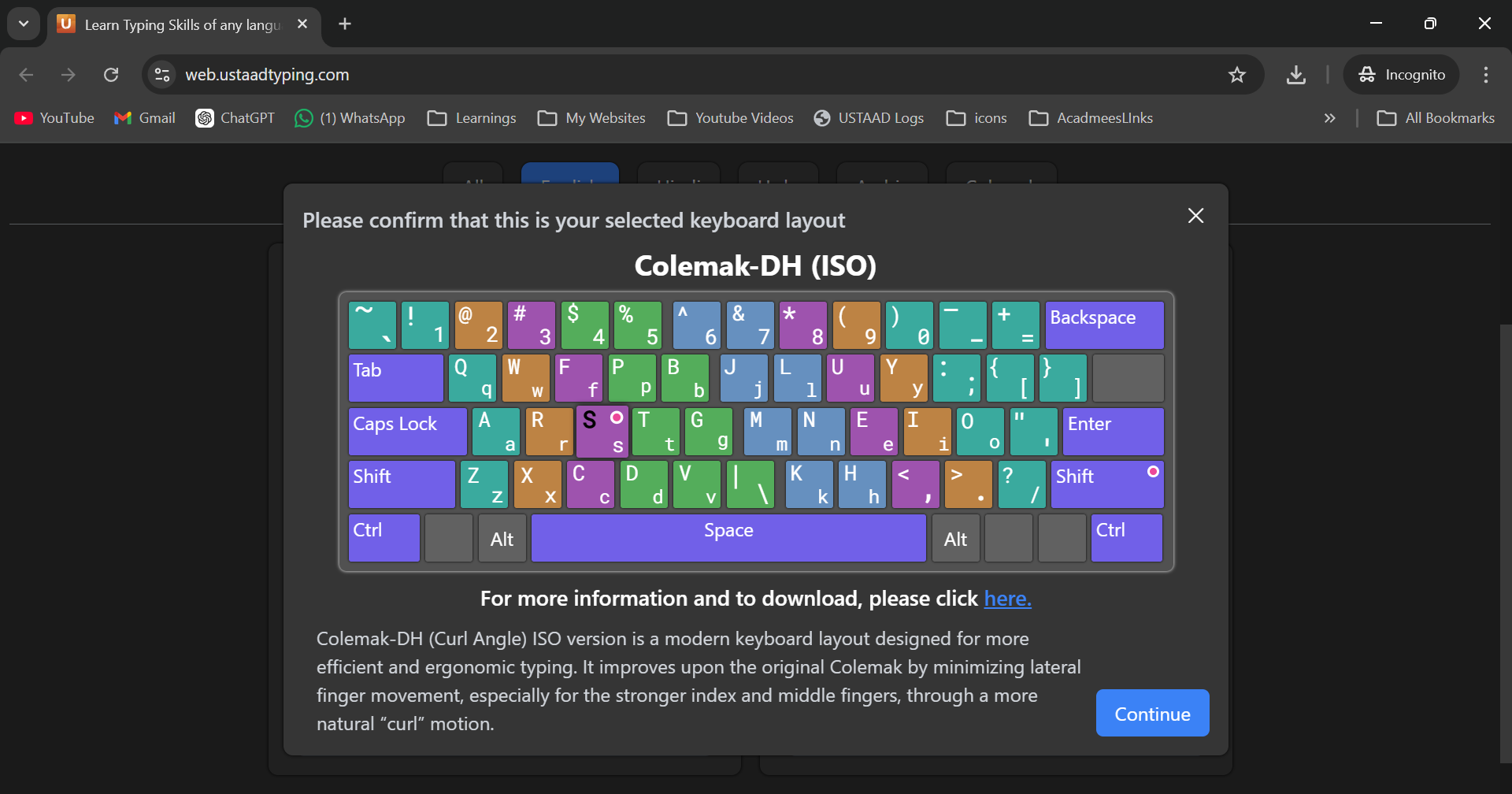
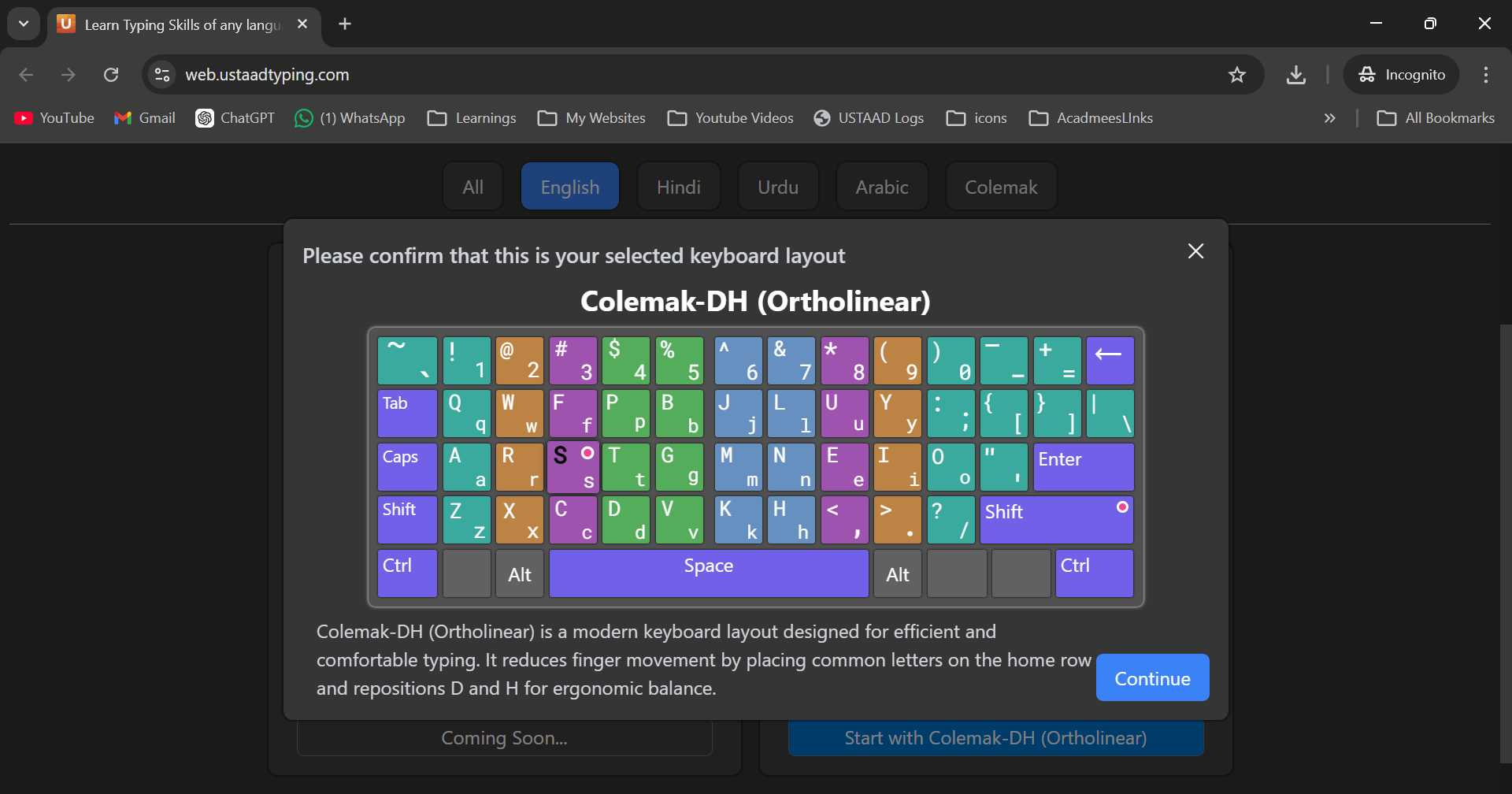
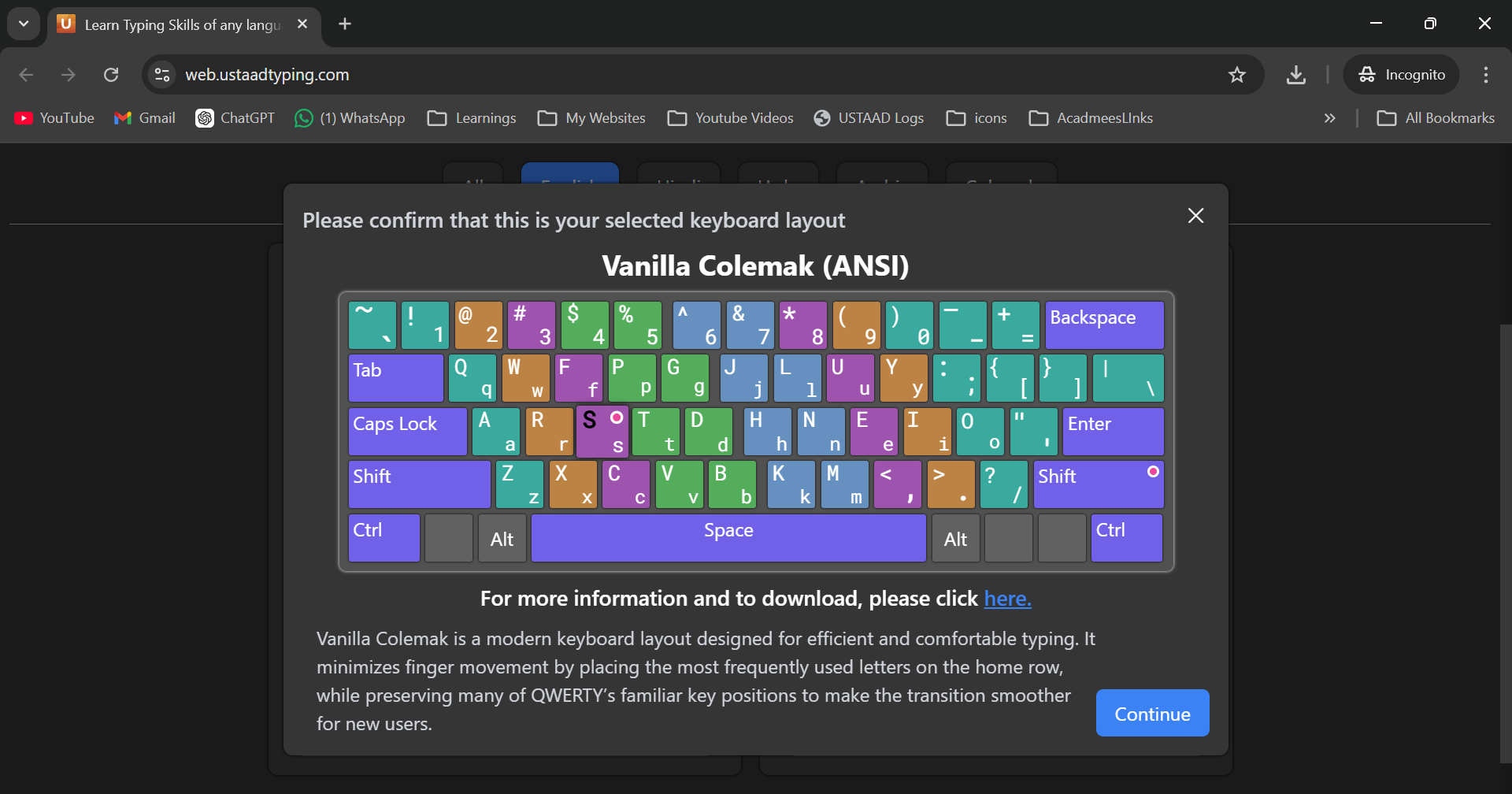
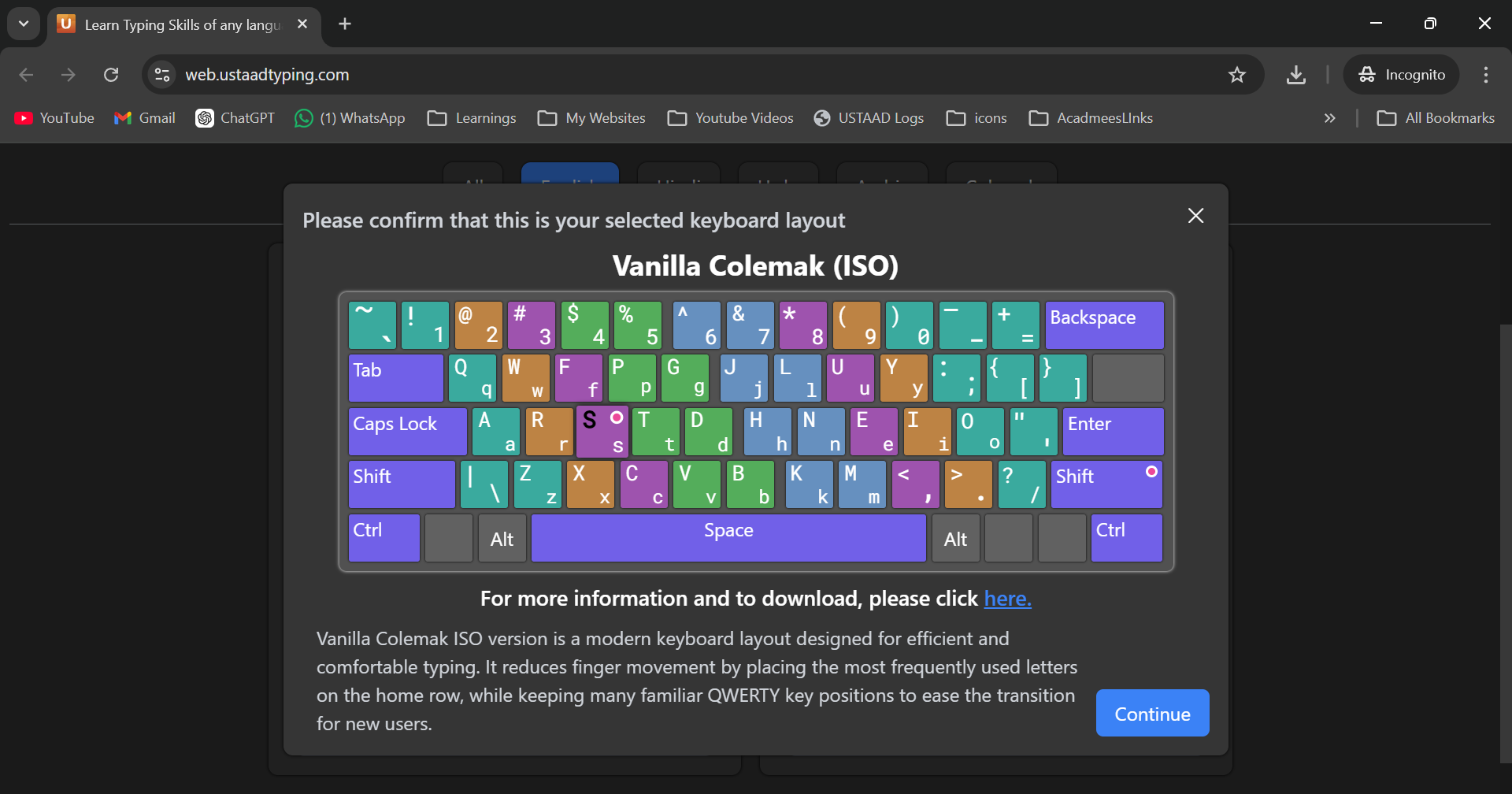
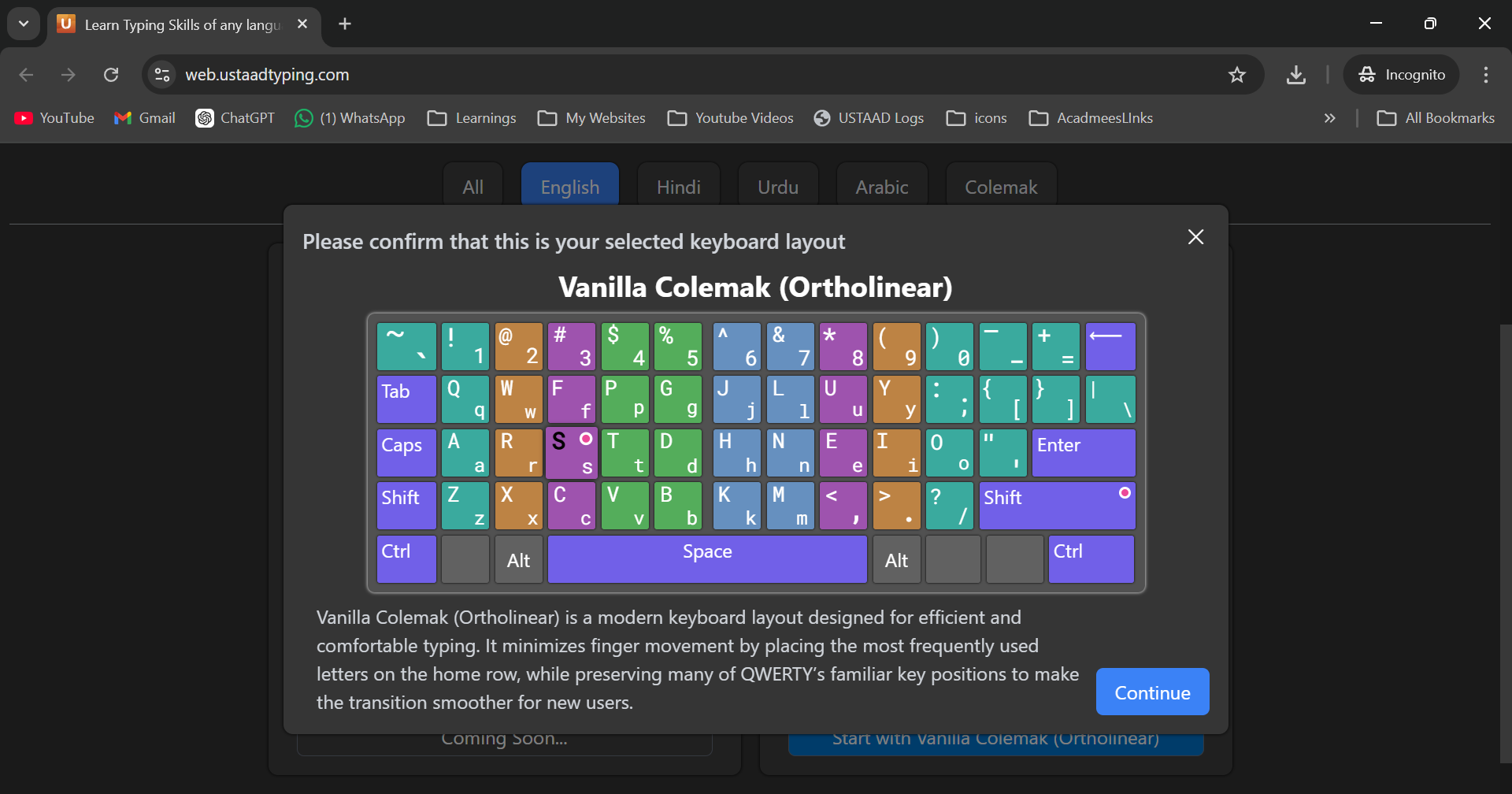
Colemak Layout
- Description: Alternative ergonomic layout designed for efficiency
- Key arrangement: Optimized for common letter combinations
- Best For: Users seeking faster typing speeds, those with RSI concerns
- Difficulty: Advanced (significant relearning required)
- Recommendation: Only for experienced typists
Example: To type "WORLD" you press: W O R L D (but positions differ from QWERTY)
USTAAD offers multiple Colemak variants including Colemak DH and Vanilla Colemak in ANSI, ISO, and Ortholinear formats.
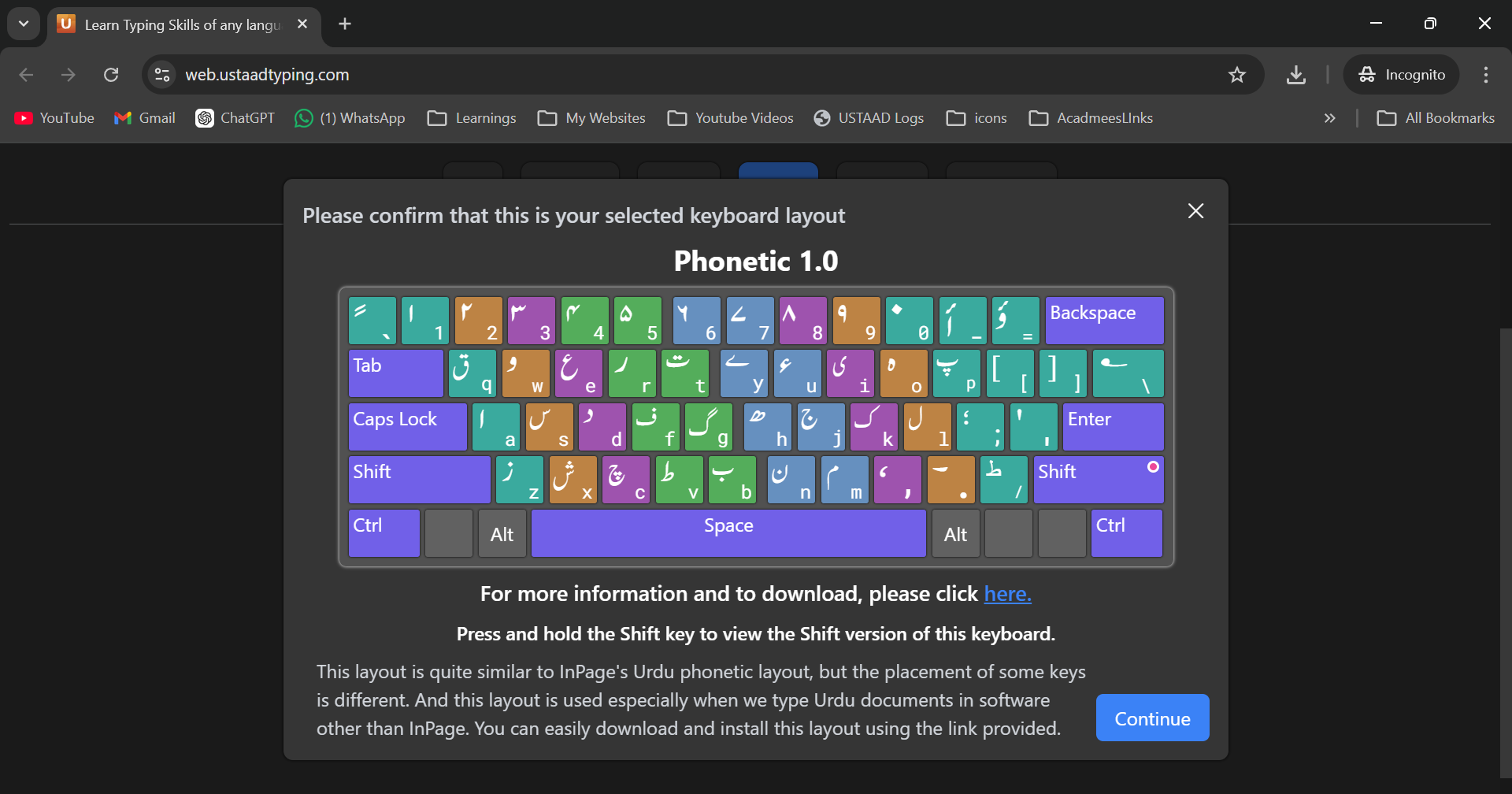
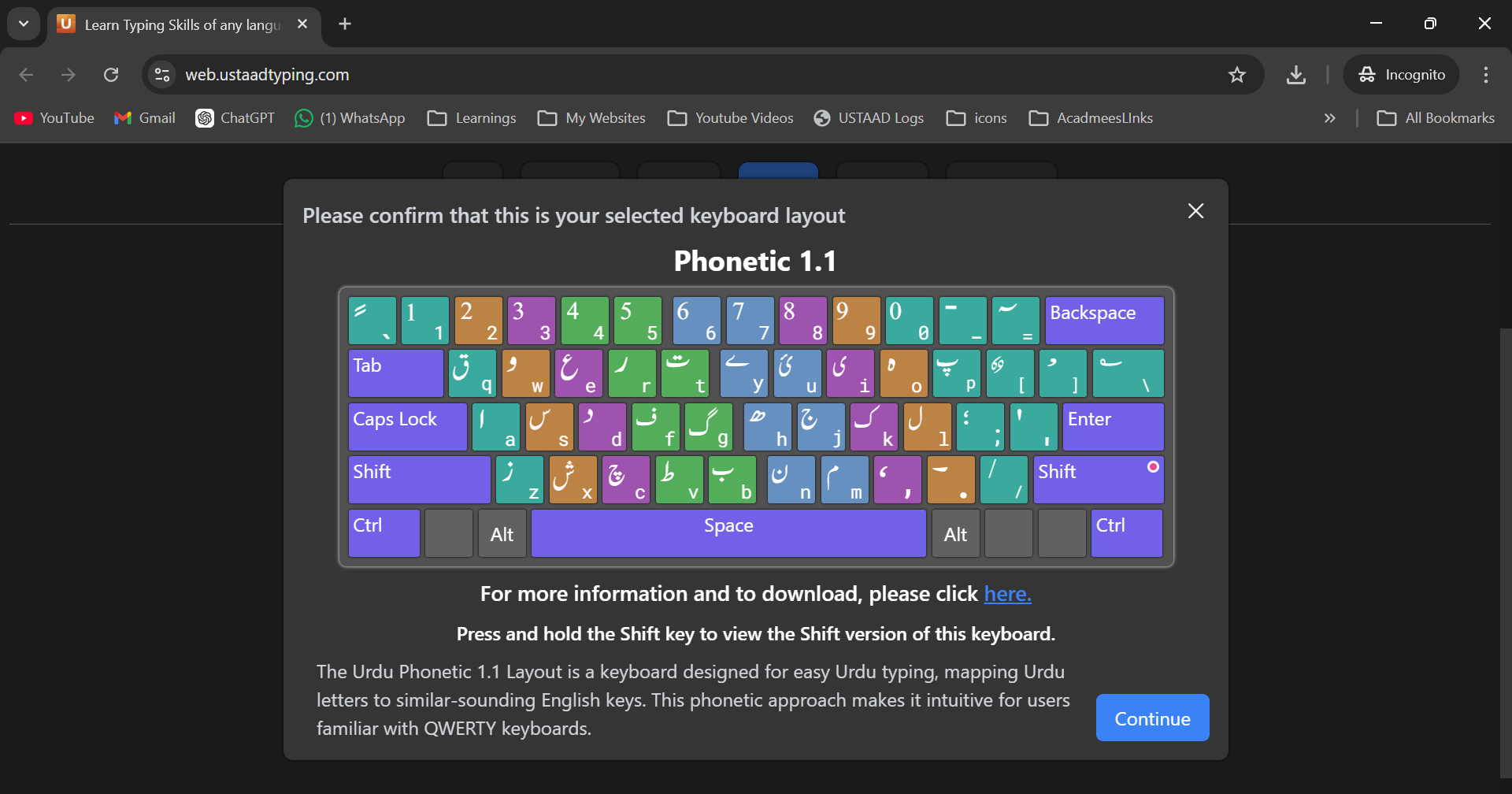
Phonetic Layouts
- Description: Letter placement based on pronunciation similarity
- Best For: Native speakers learning their own language
- Difficulty: Beginner-friendly for native speakers
- Recommendation: Ideal for Urdu, Arabic, and Hindi learners
Urdu Phonetic Example: To type "ہیلو" you press keys that sound similar: H E L O (with Urdu characters)
USTAAD offers Urdu Phonetic layouts including versions 1.0 and 1.1.
Inscript Layout
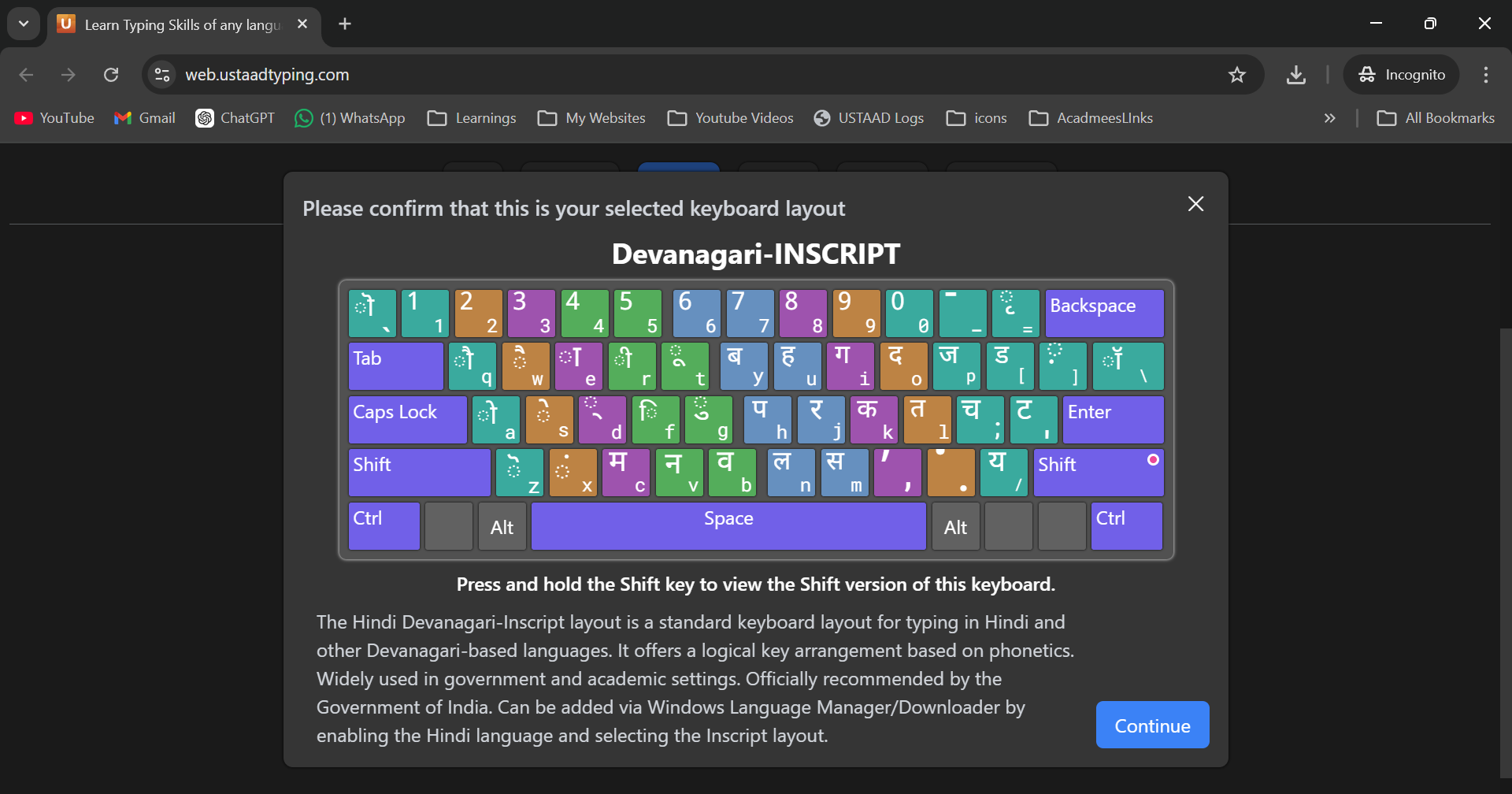
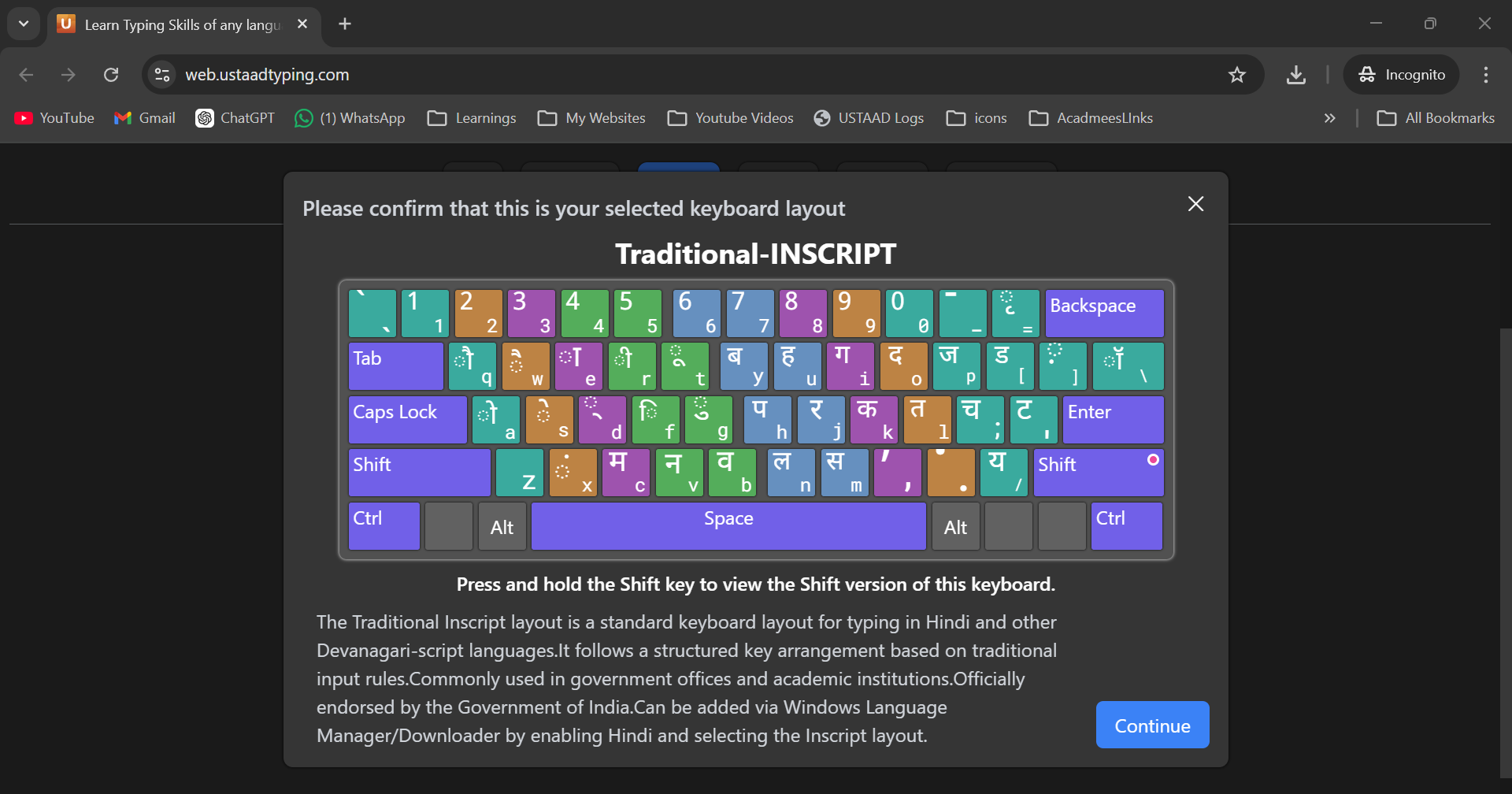
- Description: Official Indian government standard for Devanagari scripts
- Key arrangement: Specific key combinations for complex characters
- Best For: Formal Hindi and Urdu typing, official documents
- Difficulty: Moderate (requires learning specific key combinations)
- Recommendation: Choose for academic or professional use
Hindi Inscript Example: To type "नमस्ते" requires specific key sequences for Devanagari characters
USTAAD offers Hindi Inscript layouts including Devanagari Inscript and Traditional Inscript.
How to Select Your Course
- Choose Language: Click on your desired language from the selection grid
- Select Layout: Review available layouts for that language and click your preference
- Confirm Selection: Click "Start Course" to begin your learning journey
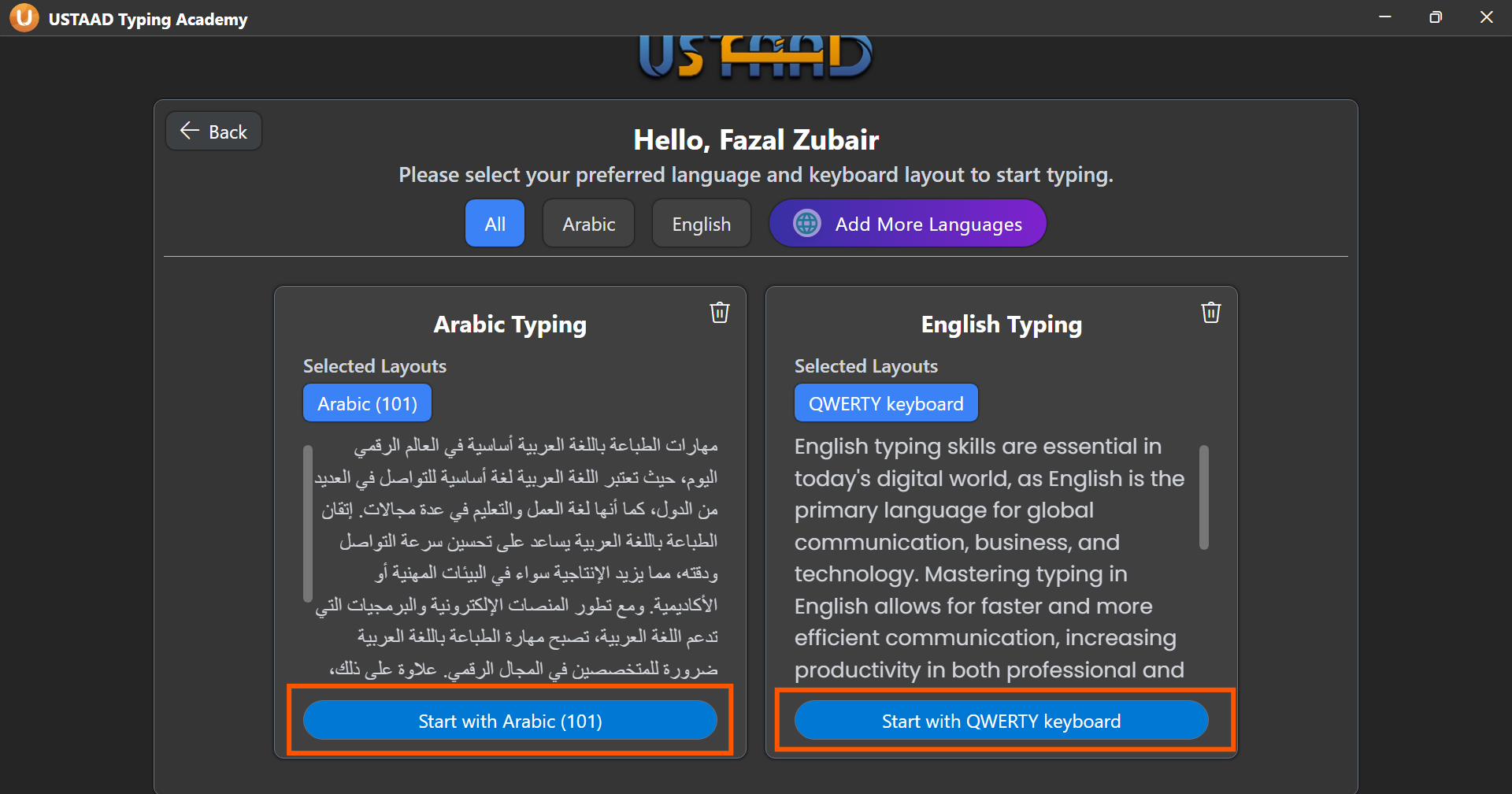
Your selection will be saved to your account, so you can always return to continue where you left off.
Switching Between Courses
You can switch courses at any time:
- Go to the main menu
- Click "Change Course" or "Language Selection"
- Select a new language and layout
- Your progress in the previous course will be saved
Switching courses doesn't delete your progress. Each course tracks separately, so you can work on multiple languages simultaneously.
Recommendations for Beginners
First-Time Typists
- Start with English QWERTY if you want to learn the most universal layout
- Choose your native language with phonetic layout for familiar letter sounds
- Avoid Colemak until you have basic typing skills
Language Learners
- Select phonetic layouts to leverage your existing language knowledge
- Consider QWERTY for English if you plan to use international keyboards
- Check keyboard availability in your region
Professional Users
- Match your work requirements (e.g., Inscript for Indian government work)
- Learn multiple layouts if you work in multilingual environments
- Consider ergonomic layouts like Colemak for long typing sessions
Layout Compatibility
Before selecting a layout, ensure:
- Your physical keyboard supports the layout
- Your operating system has the layout installed
- You have access to special characters needed
Most modern computers support all listed layouts, but some regional keyboards may have limitations.
Common Selection Issues
The layout I want isn't available for my language. Some layouts are language-specific. Check the available options or consider learning a universal layout like QWERTY.
I selected the wrong layout by mistake. You can change your selection anytime through the course menu without losing progress.
My keyboard doesn't match the layout. Ensure your operating system keyboard settings match your selected layout in USTAAD.
Getting Started Tips
- Take the placement test if available to assess your current skill level
- Start with short daily sessions rather than long practice periods
- Focus on accuracy first, speed will come with practice
- Use the built-in help for unfamiliar layouts
Remember, consistency is key to learning touch typing. Choose a layout you'll use regularly, and stick with it for the best results.