How to Add Custom Typing Tests
This guide explains how to create personalized typing tests in USTAAD Typing Academy using the "Personalized Typing Tests" feature.
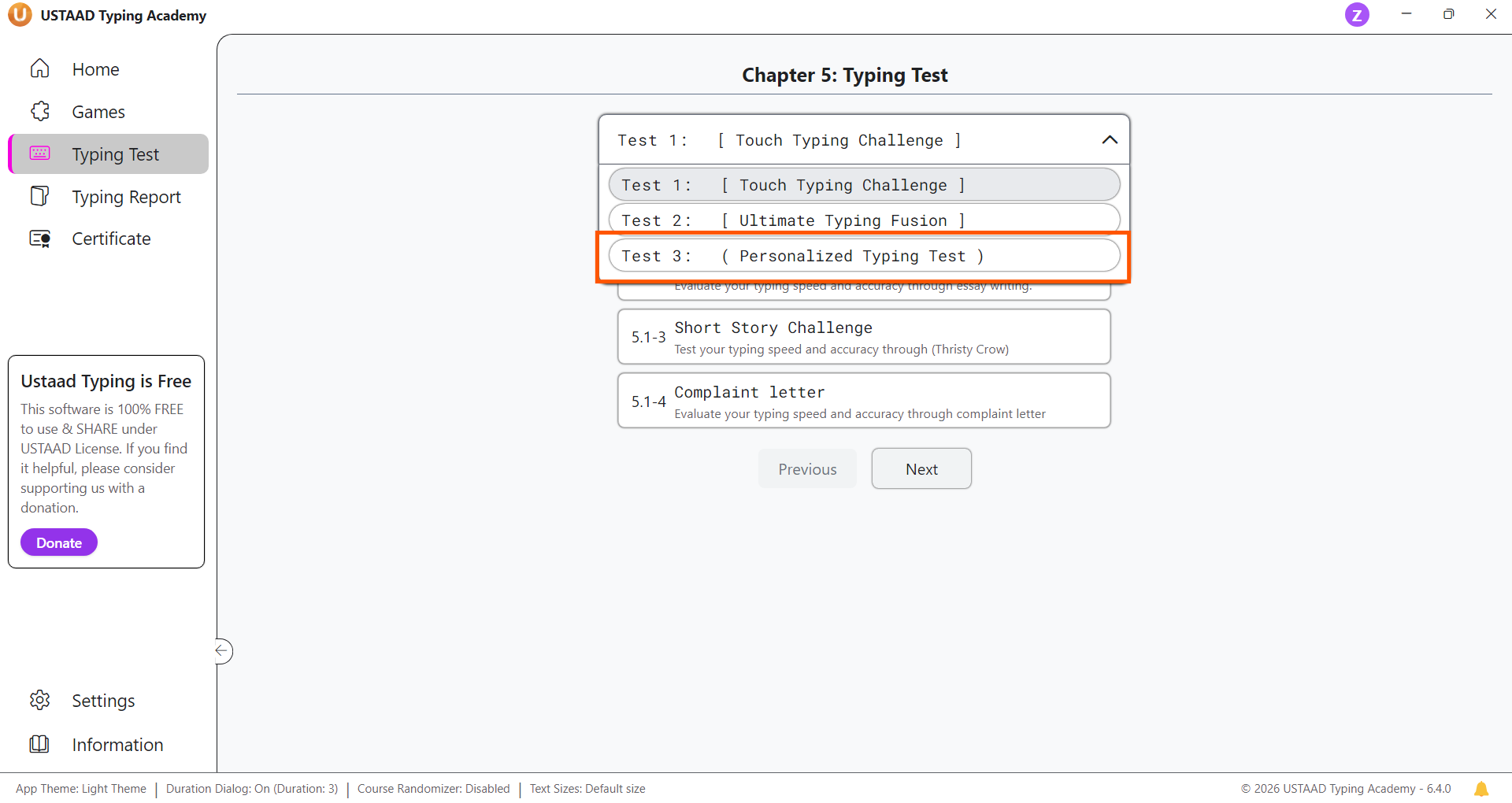
Step 1: Open the Typing Tests Tab
First, go to the Typing Tests tab in the USTAAD Typing Academy desktop or web version.
From there, navigate to the third typing exercise using the title dropdown or the next button below.
Step 2: Open Custom Test Slots
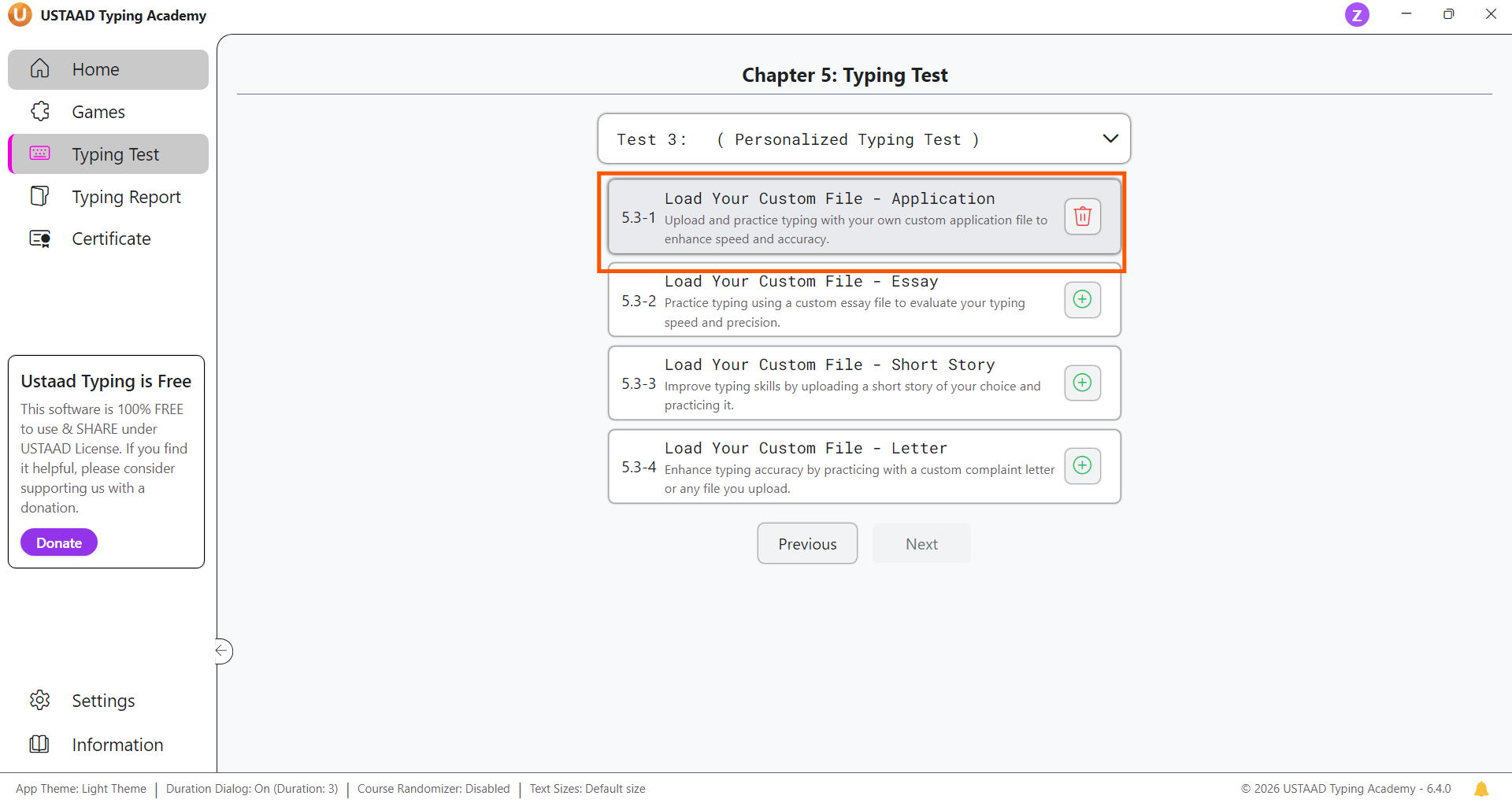
In Exercise 3, you will see four predefined empty lessons for custom typing tests.
Each lesson displays a plus button when no file has been added yet.
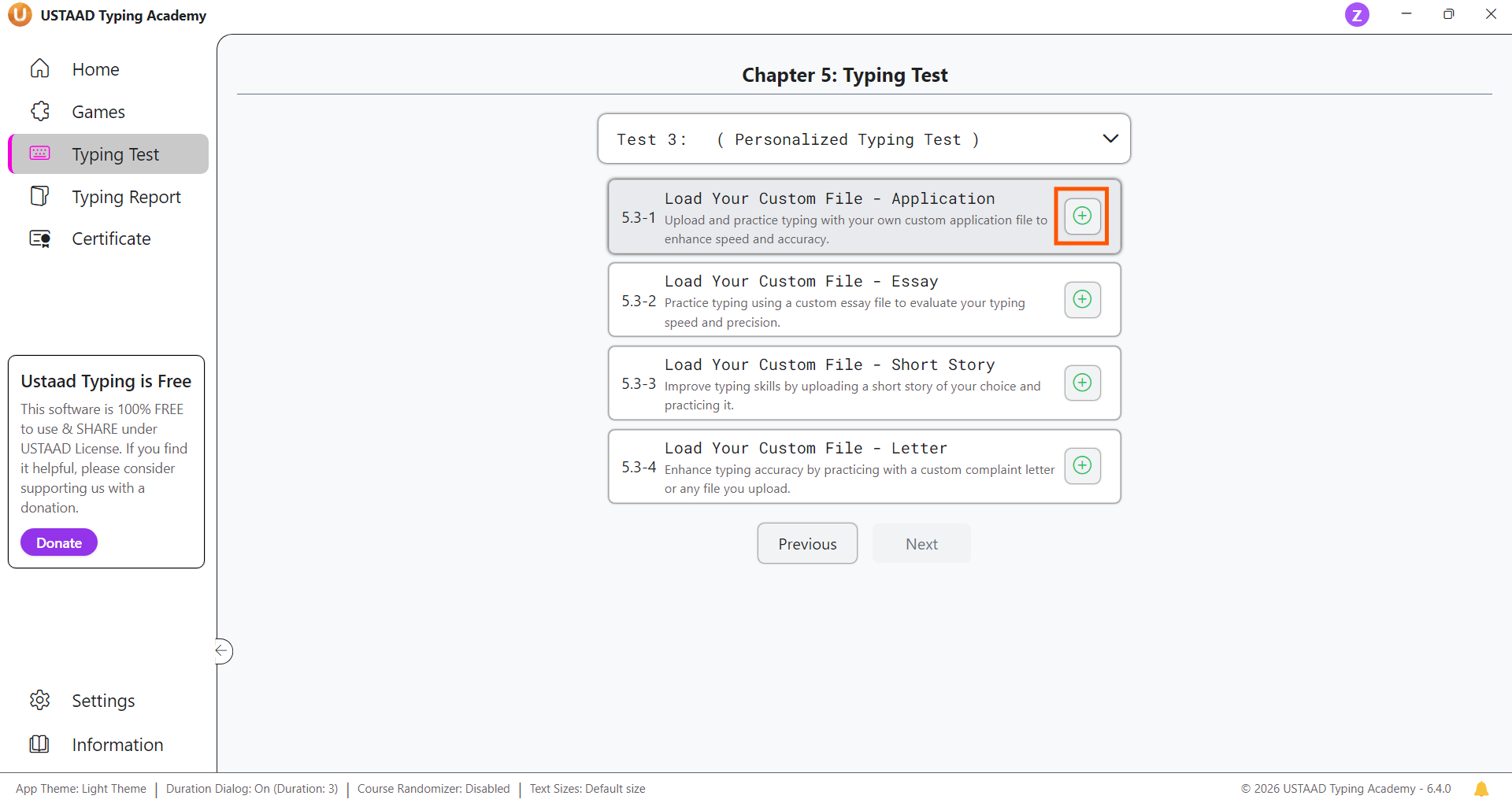
Step 3: Add a Custom File
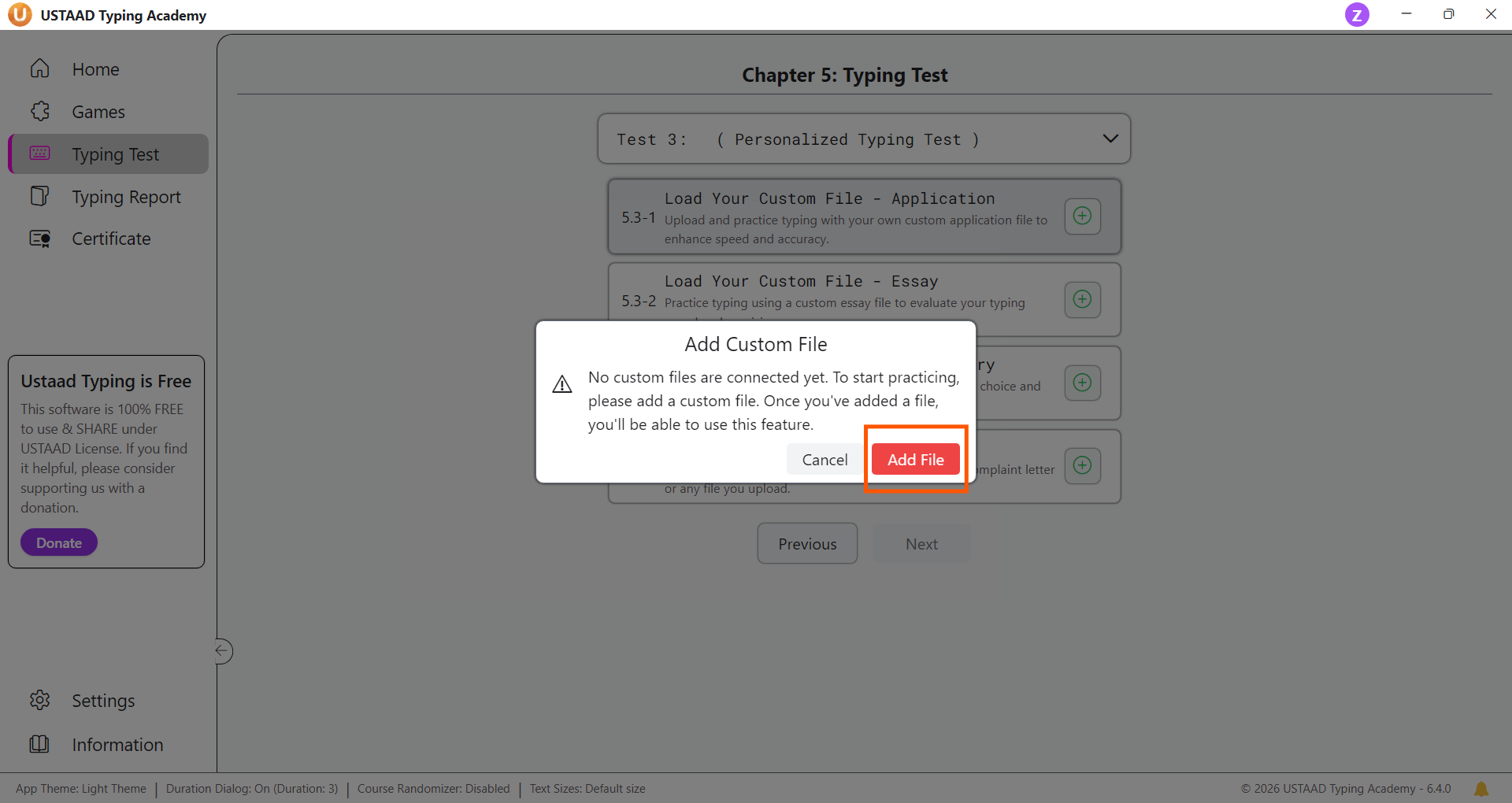
Click the plus button on one of the empty custom lesson slots to add your own text file.
This opens the file picker so you can select a .txt file containing the content you want to practice.
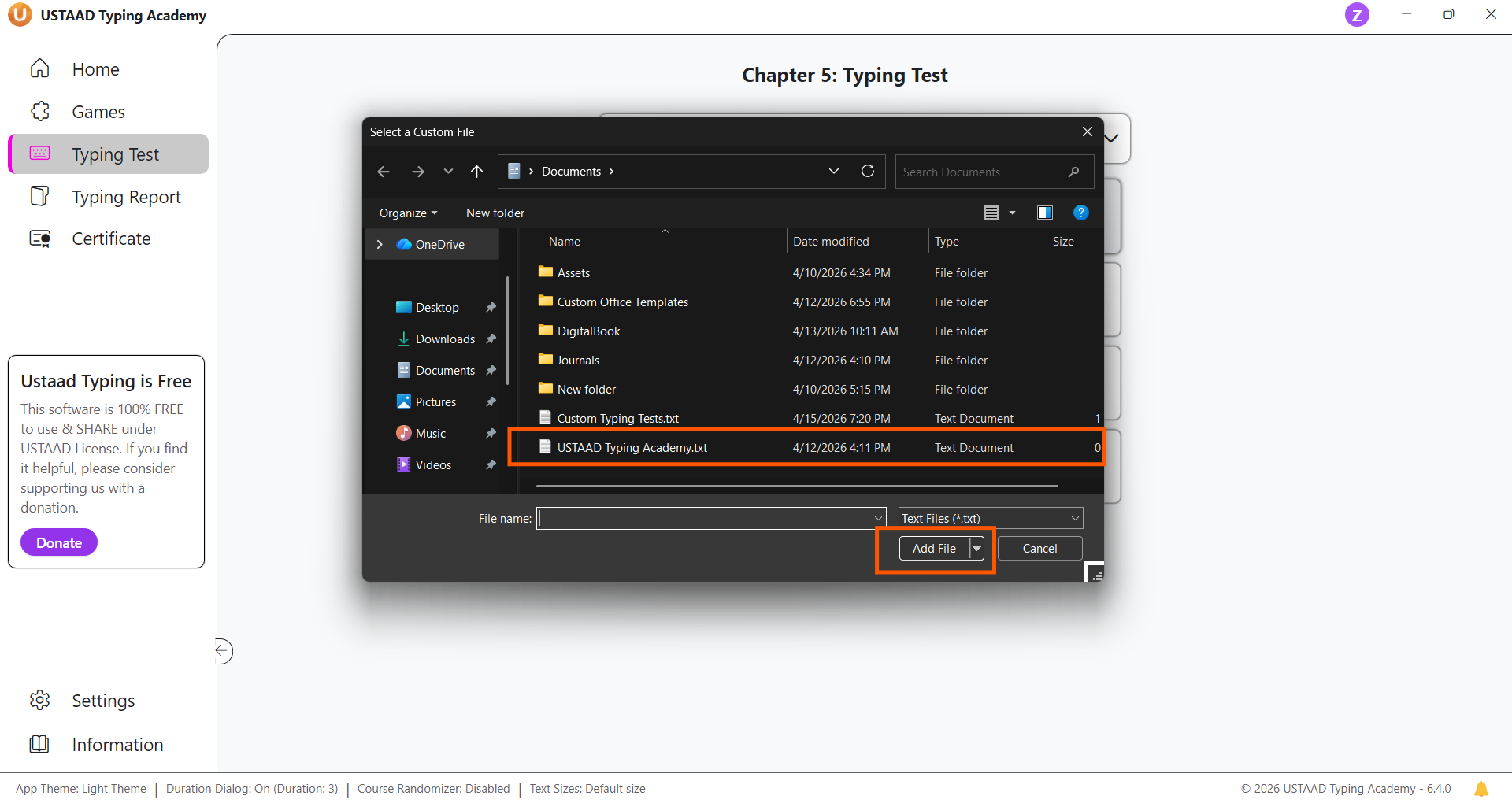
Step 4: Use the File Picker
The file picker will open when you click the plus button. Choose a .txt file with the text you want to practice.
Supported format:
.txtonly
Step 5: Confirm the Connected File
After selecting a file, the lesson will show a trash icon button instead of the plus button.
This indicates that the file is successfully connected to the lesson.
Step 6: Practice Your Custom Test
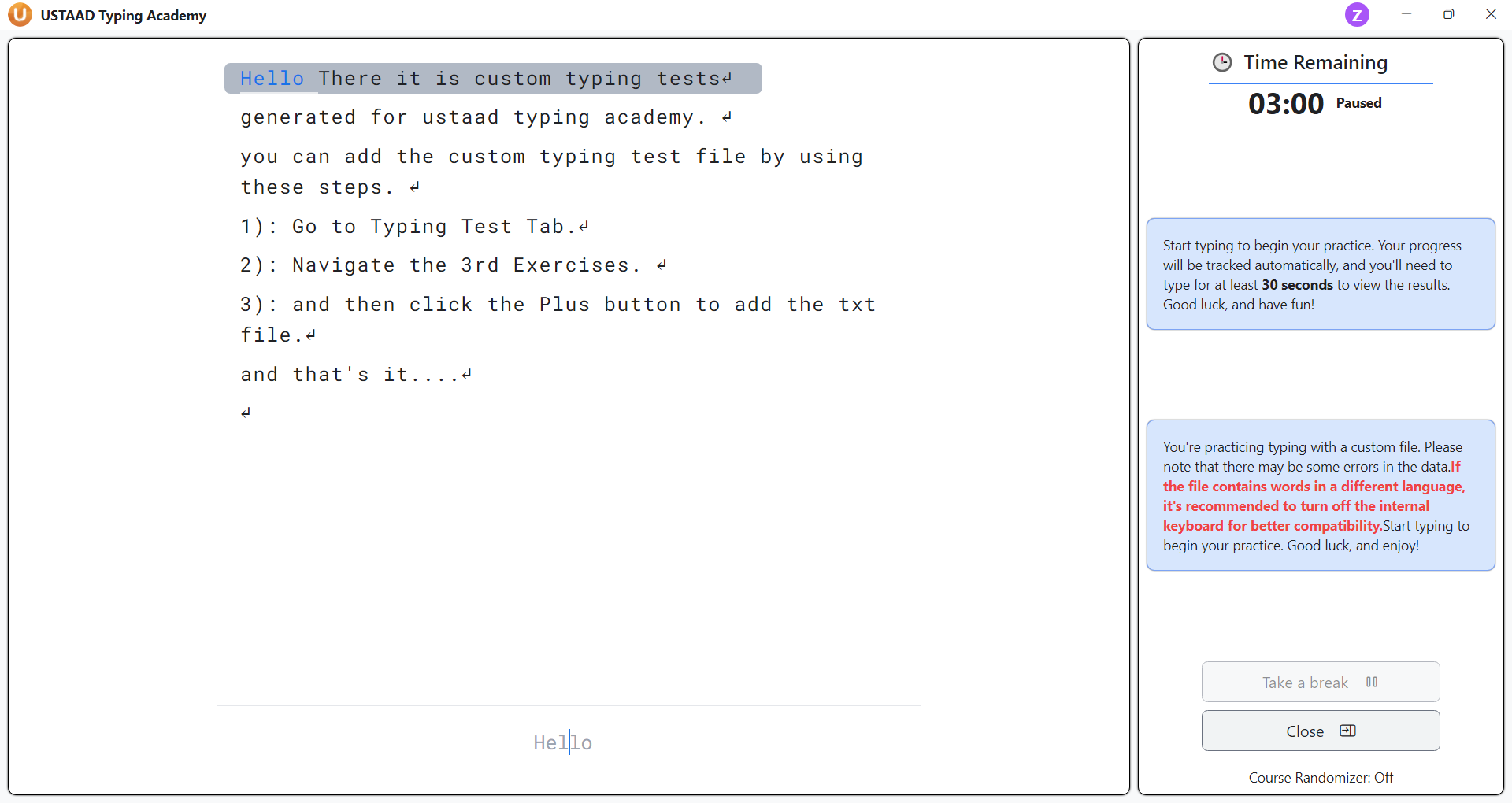
Once a custom file is connected, you can practice that lesson and the typed content from the selected file will load into the exercise.
The exercise uses your own text for typing practice.
Best Practices for Custom Typing Tests
- Use clear
.txtfiles with readable content - Keep each file focused on one topic or writing type
- Avoid extremely long files for first practice runs
- Choose content that matches your real typing needs, such as assignments, notes, or personal stories
- Replace or delete files when you want to refresh your practice material
Editing and Deleting Custom Tests
- Use the trash icon to delete a connected custom file
- After deleting, the lesson returns to the empty slot with a plus button
- Add a new file any time to replace the old content
Why Custom Typing Tests Matter
Custom typing tests allow you to practice real writing material that matters to you, helping build typing skill and content familiarity simultaneously.
This feature is especially useful for students and professionals who want to practice assignments, letters, essays, and personal documents.