Understanding Your Typing Reports
The Typing Reports tab is the dedicated section for reviewing past typing results, tracking progress, and interpreting performance trends.
Report Interface Navigation
When you open the Typing Reports tab, you will first see the Typing Results section.
At the top, a chapter title dropdown lets you choose from all available typing chapters and exercise titles.
After selecting a chapter, expandable exercise dropdowns appear for that chapter.
When you open an exercise dropdown, a full table displays results for every lesson within that exercise.
This layout makes it easy to view and compare scores across chapters, exercises, and lessons.
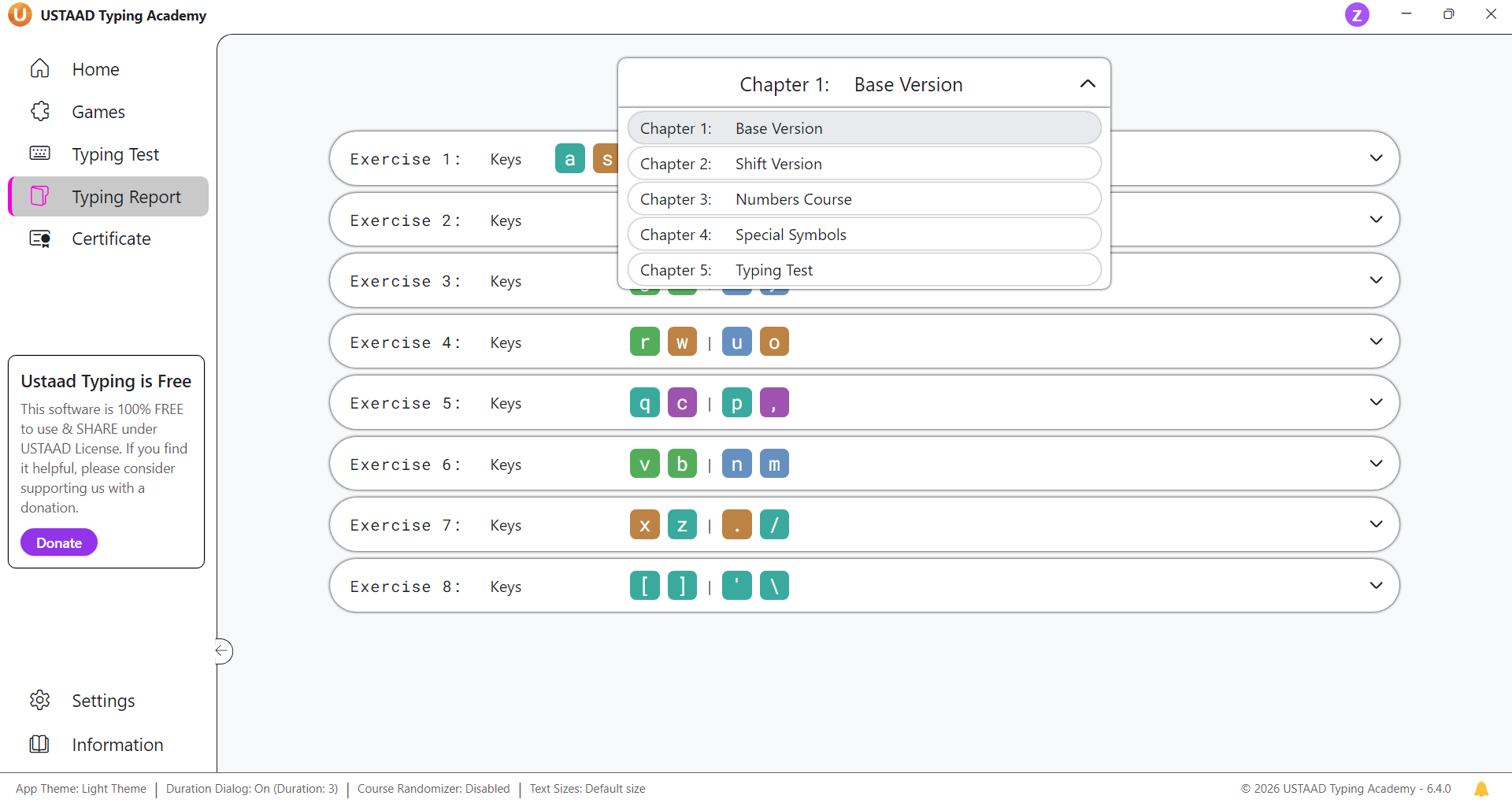
Understanding the Report Table
Each exercise table shows lesson-level results in a clear, tabular format.
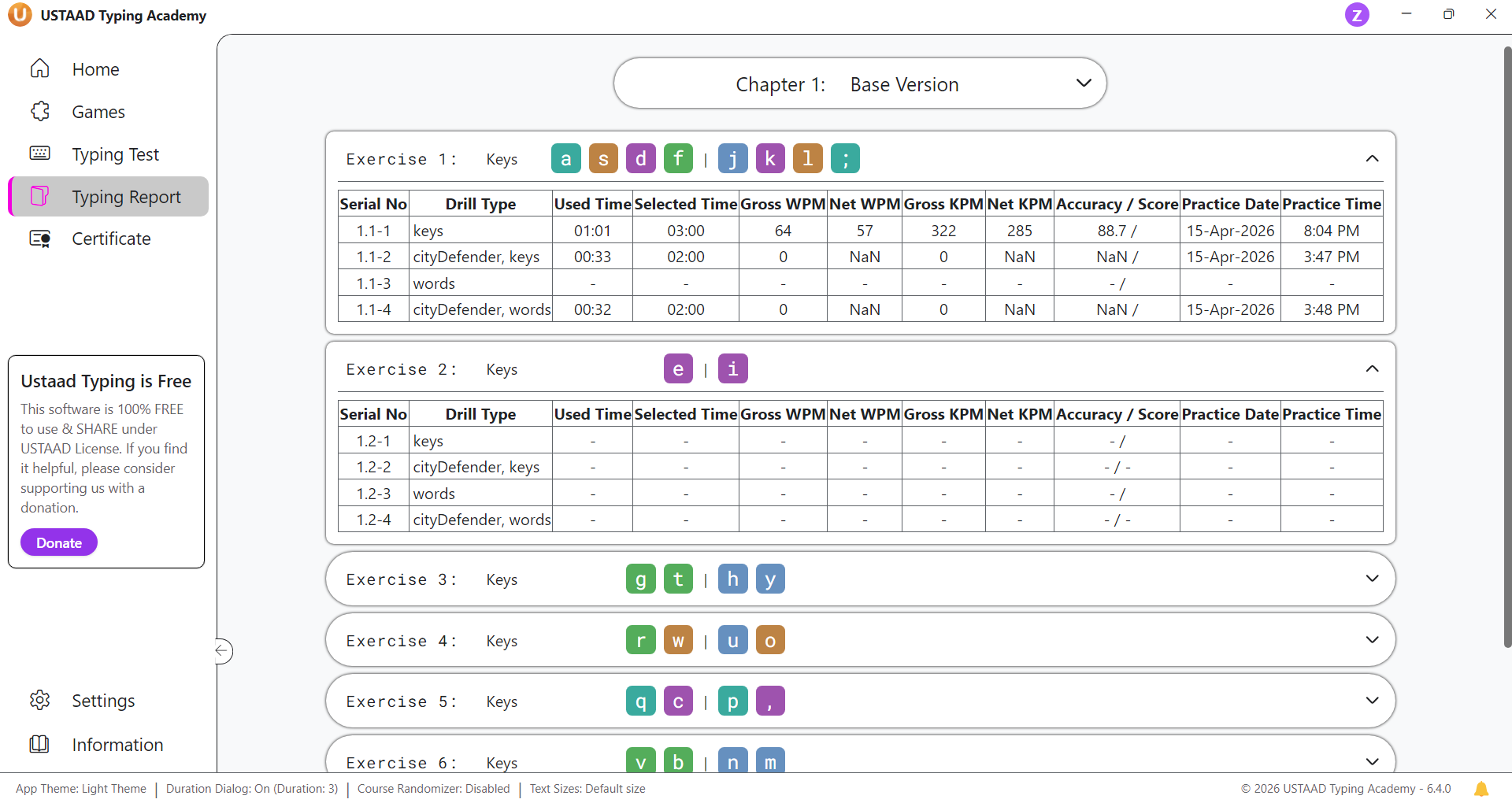
Common table columns include:
- Lesson name — identifies the typed lesson
- Speed — shown as WPM and KPM
- Accuracy — percentage of correct typing
- Time — session duration
- Date — when the practice occurred
This makes it simple to compare performance over time and across lesson types.
Filtering and Drill Selection
To filter reports:
- Open the chapter title dropdown and select the chapter you want to review.
- Expand the exercise dropdowns for that chapter.
- View only the relevant lesson results in the table.
This filtering flow is designed so users can quickly locate the specific chapter and exercise they need.
Why the Typing Reports Tab Matters
The Typing Reports section is where users can:
- review detailed drill results
- track long-term progress
- compare chapters and exercises
- focus practice based on data
It is the essential analytics hub for learners who want to improve typing performance systematically.