Typing Reminder & Duration Dialog
USTAAD Typing Academy includes smart features that help users stay consistent and efficient during their typing practice.
Two important settings in this section are:
- Typing Reminder
- Duration Dialog
Both features are designed to improve discipline, time management, and user convenience.
Typing Reminder
The Typing Reminder feature helps users stay consistent by reminding them to practice typing regularly.
Available Options
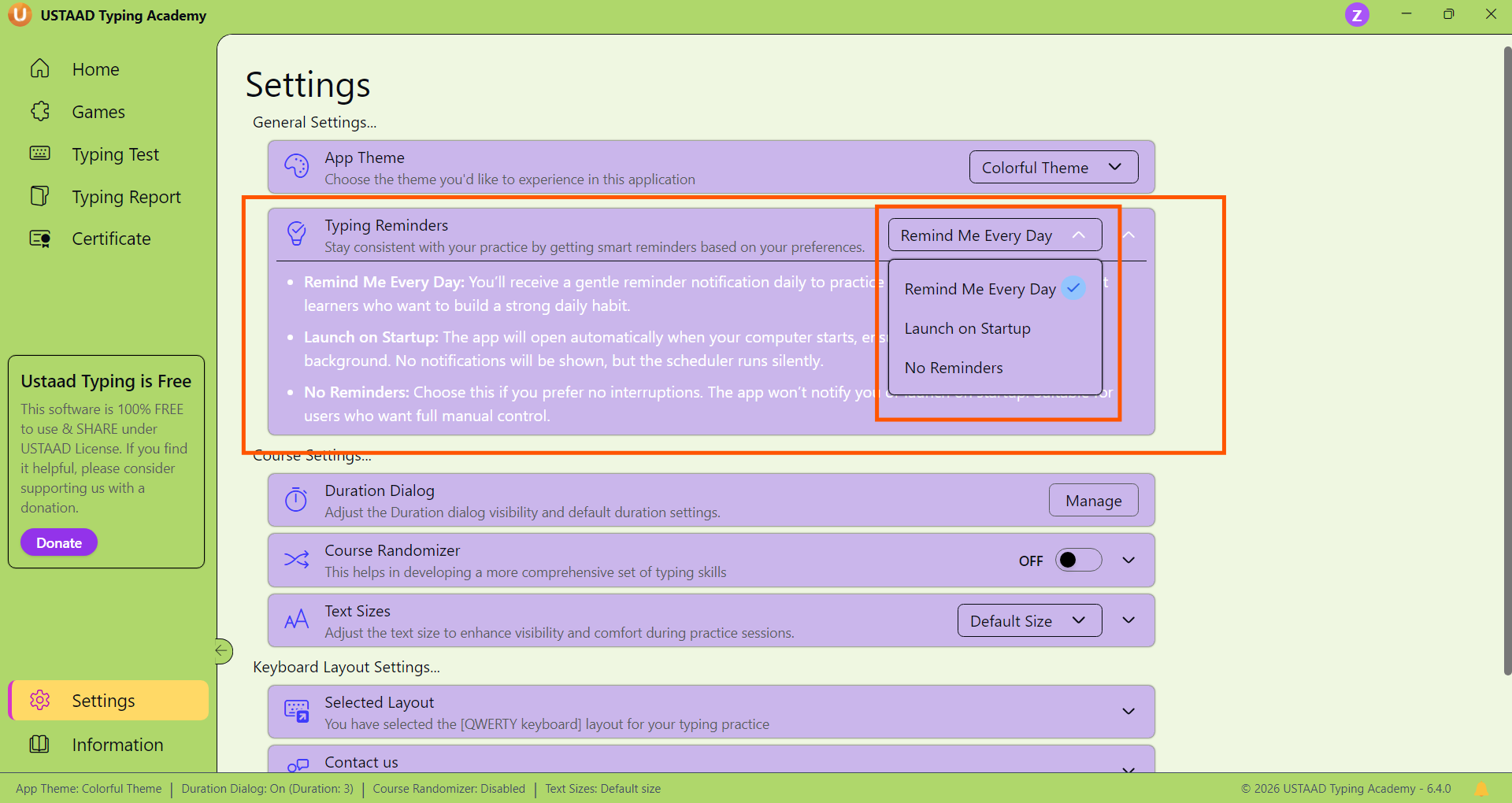
Users get 3 options in this setting:
1. Remind Me Every Day (Default)
This option is enabled by default.
How it works:
- When your computer starts, the system will automatically trigger a reminder
- The reminder appears at a random time after startup
- No fixed time or schedule is required
Purpose:
- Encourages daily practice
- Builds consistency without strict scheduling
2. Launch on Startup
This option automatically opens USTAAD Typing Academy when the computer starts.
How it works:
- As soon as the system boots, the app launches
- User can immediately start practicing
Purpose:
- Removes friction of manually opening the app
- Useful for dedicated learners
3. No Reminder
This option disables the reminder system completely.
How it works:
- No notifications will be shown
- App will not auto-launch
Purpose:
- Gives full manual control to the user
Duration Dialog Feature
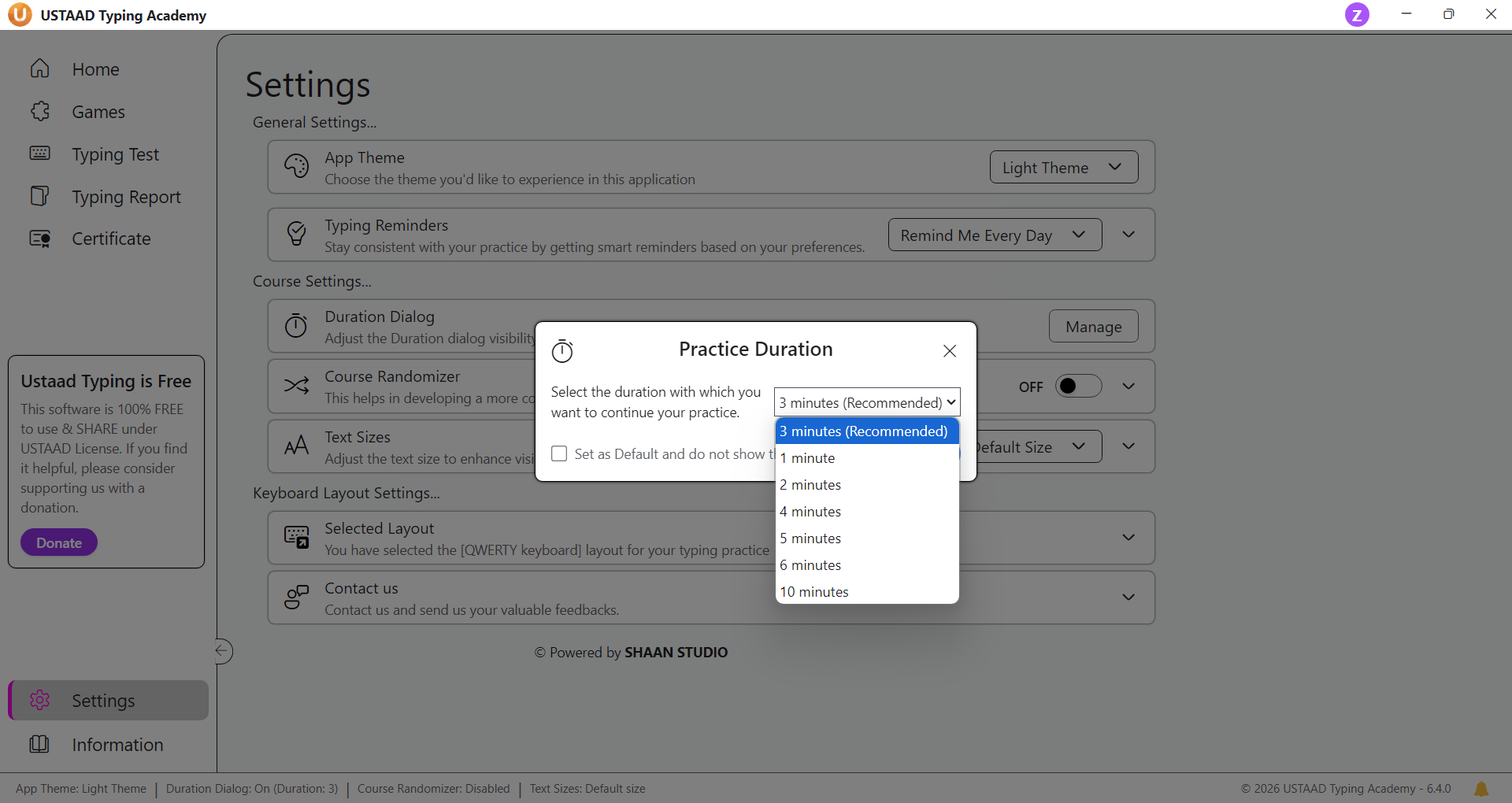
The Duration Dialog appears at the start of typing lessons and allows users to choose how long they want to practice.
Duration Options
Users can select practice duration ranging from:
- 2 minutes
- Up to 10 minutes
This allows flexible practice sessions based on user availability and comfort.
Default Duration Option (Important Feature)
The Duration Dialog also includes a checkbox option:
“Set as Default Duration”
If this option is enabled:
- The selected duration will be applied automatically to all lessons
- The dialog will not appear again for every lesson
- Practice sessions will start instantly with the saved duration
Changing Default Duration
If a user wants to change the default duration later:
- They can go to the Settings Tab
- Update or reset the Duration Dialog preferences
- Re-enable the dialog if needed
Why This Feature Matters
This feature improves user experience by:
- Saving time (no repeated dialog prompts)
- Allowing consistent practice timing
- Providing flexibility for different users
- Reducing interruptions during learning
Summary
Both features play a key role in enhancing the typing experience:
- Typing Reminder → Keeps users consistent and engaged
- Duration Dialog → Gives control over practice time
Together, they ensure that users can build a disciplined and efficient typing routine without unnecessary friction.