Hindi Typing Courses in USTAAD Typing Academy
USTAAD Typing Academy offers specialized Hindi typing courses built for the standard Devanagari keyboard systems used in professional and educational environments.
Whether you're preparing for exams, office work, or general typing skills, USTAAD helps you learn Hindi typing in a systematic and performance-focused way.
Hindi Layouts Supported in USTAAD
USTAAD provides dedicated typing courses for:
Devanagari InScript
- Official standard Hindi keyboard layout
- Used in government exams and professional environments
- Fixed and consistent key mapping
- Ideal for long-term accuracy and speed
Traditional InScript
- Based on earlier InScript usage patterns
- Familiar for experienced users
- Suitable for users transitioning from legacy systems
✅ These layouts are part of the standard Hindi typing ecosystem, making them essential for serious learners.
Why Learn Hindi Typing with USTAAD?
USTAAD is designed to go beyond basic typing practice and provide a complete Hindi typing learning system:
- Structured lessons from beginner to advanced
- Layout-specific training (InScript-based)
- Real-time typing speed (WPM) tracking
- Accuracy analysis and improvement
- Practice exercises and typing tests
- Certificate-based progression
This approach ensures you build real-world Hindi typing skills, not just theoretical knowledge.
Getting Started with Hindi Typing Courses
Hindi typing courses are available inside USTAAD and can be downloaded when needed.
Follow the steps below to install Devanagari InScript or Traditional InScript courses.
Downloading Hindi Typing Courses
USTAAD Typing Academy allows you to download Hindi-specific typing courses so you can practice anytime, even without internet access.
Why Download Hindi Courses?
Downloading Hindi courses allows you to:
- Practice Hindi typing offline
- Learn using standard InScript layouts
- Follow a structured lesson path
- Build speed and accuracy required for exams and jobs
Internet Requirements
Before downloading Hindi courses:
- Stable internet connection required
- Recommended speed: 1 Mbps
- One-time download process
Hindi typing courses are compact, usually around 100–200 KB, and download quickly.
Step-by-Step: Download Hindi Typing Courses
Step 1: Open USTAAD
- Launch USTAAD Typing Academy
- Select your account
- Click Continue
You will land on the Language Selection page.
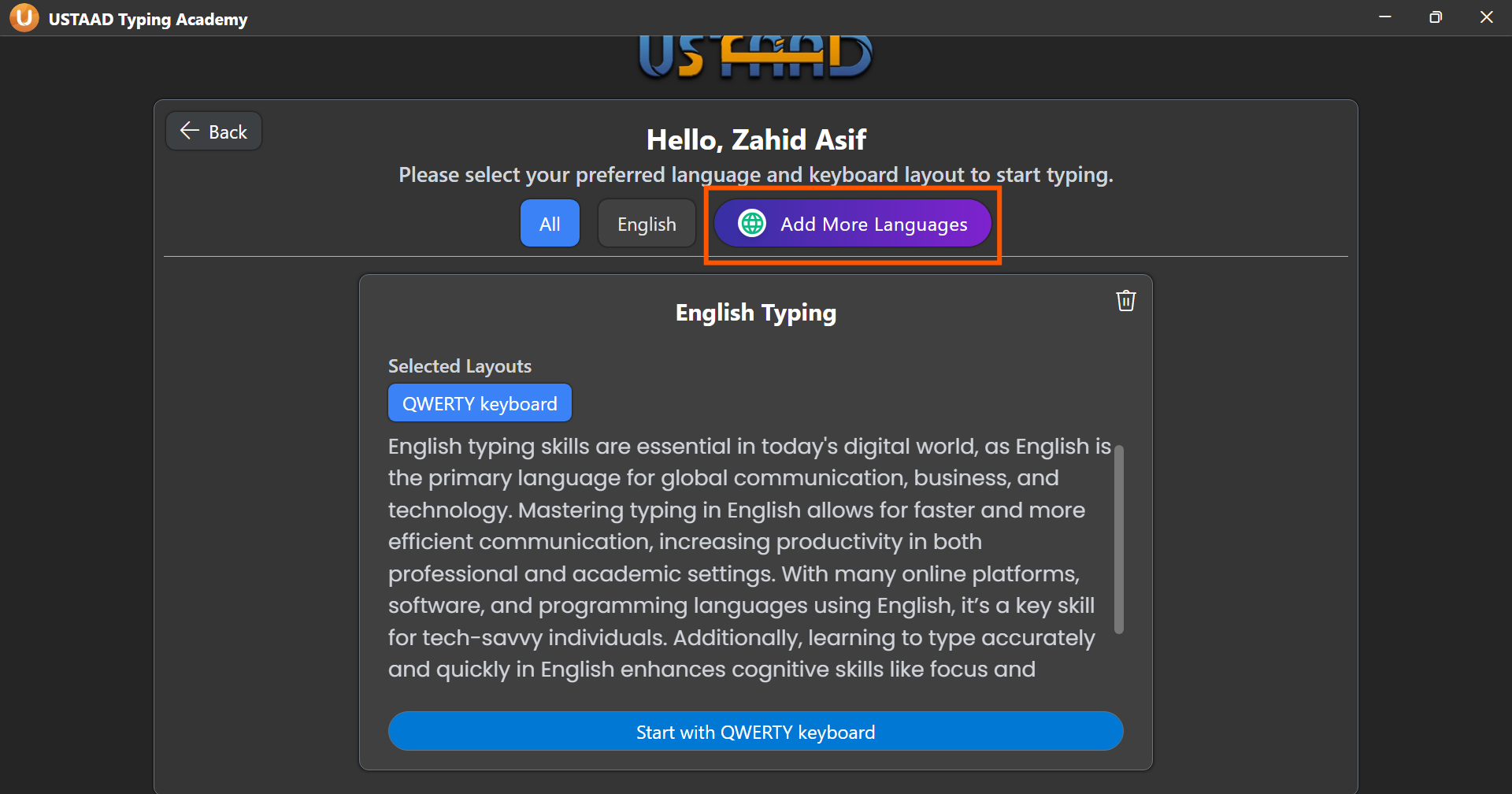
Step 2: Open Download Section
Click Add More Languages from the top-right corner.
Step 3: Select Hindi Layout
- Find Hindi
- Open the layout dropdown
- Choose:
- Devanagari InScript
- OR Traditional InScript
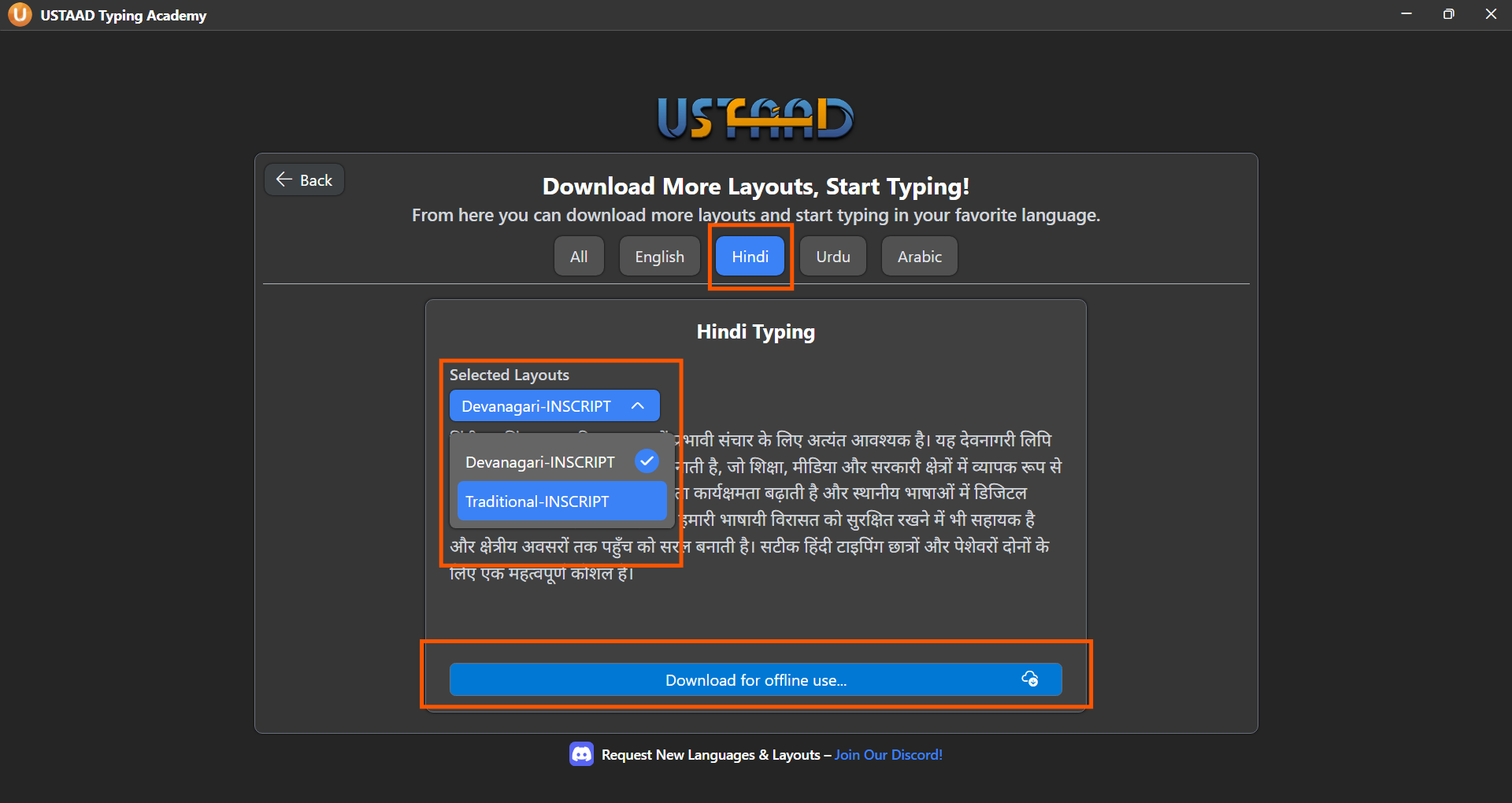
Step 4: Download Course
Click Download for offline use, then confirm your selected layout.
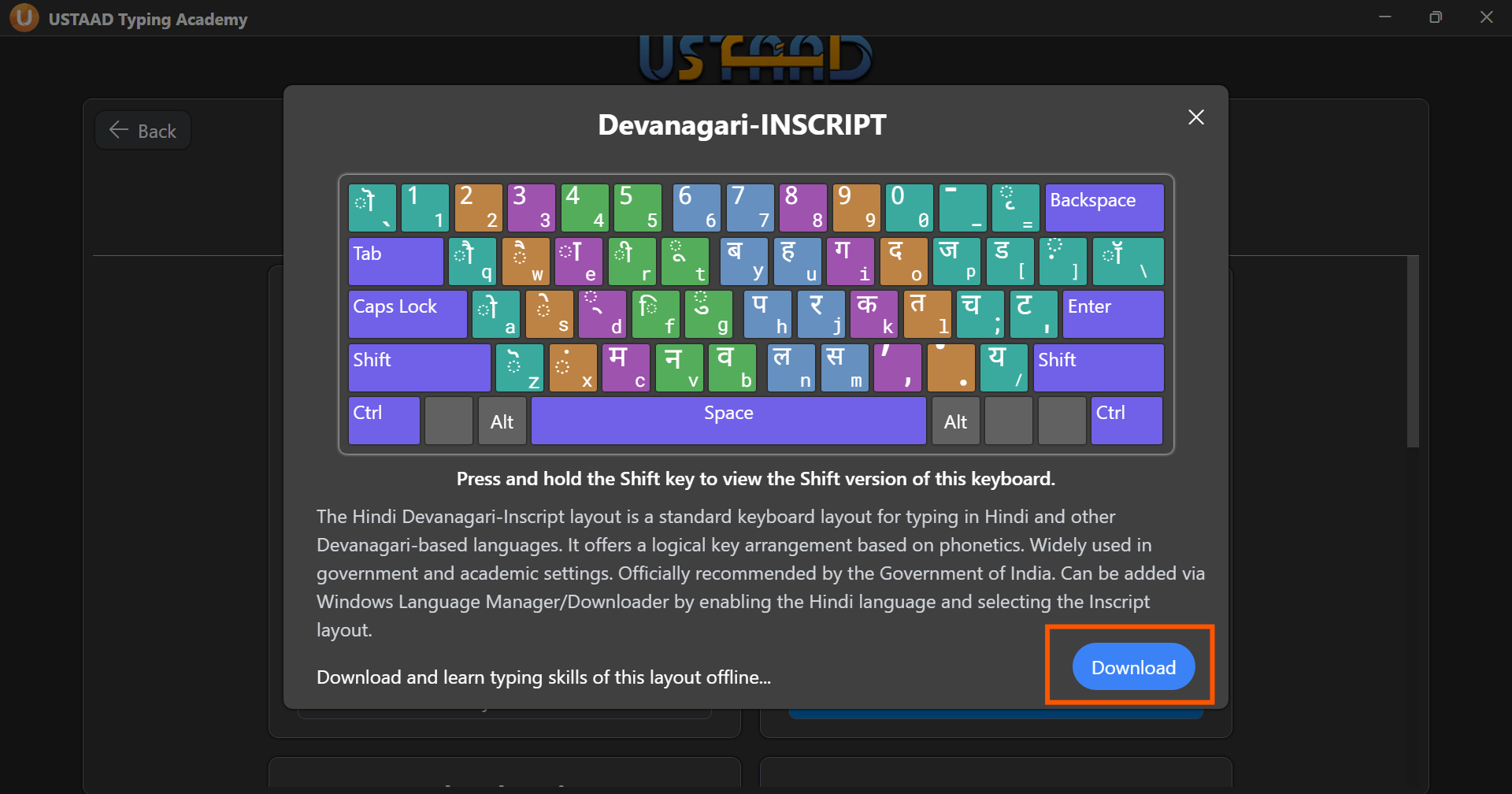
Once the download is complete, your Hindi typing course is ready to use.
Learn Hindi Typing Offline
After downloading:
- No internet required
- Full Hindi lessons available
- Practice exercises and tests included
- Progress saved locally
Best Way to Learn Hindi Typing
For best results:
- Stick to one layout (InScript recommended)
- Avoid switching layouts frequently
- Practice daily with lessons
- Focus on accuracy before increasing speed
- Complete all exercises in order
Final Thoughts
Hindi typing may feel complex at first due to the structured nature of InScript layouts, but with the right training, it becomes highly efficient.
USTAAD Typing Academy provides everything you need to master:
- Devanagari typing
- InScript keyboard usage
- Professional-level speed and accuracy
Download your Hindi typing course, stay consistent, and build strong typing skills step by step.